Dub, upscale, extend or add sound to a video
Four tools that make a new copy of a Library video: dubbed, sharper, longer or with sound. Upscale takes photos too.
These four tools each start from a video in your Library (Upscale takes a photo too) and make a new file that lands next to the original, which stays as it was. Upscale is the exception: its result is the original’s next version. Open them from Tools, or open a file in your Library and pick one under Tools, where each shows what it costs on that file. Each asks which file first; picking one takes you straight on, and Change under the preview picks another.
While one works you can close the tool; it carries on. If it doesn’t work, your credits come back.
Dub
Makes the same video speak another language, in each speaker’s own voice.
- Under Which video has people talking?, pick one. To use one of your video edits, switch to Studio and pick it: the tool works on its latest export. An edit you haven't exported says Not exported yet; export it from the edit, then pick it here.
- Pick up to 5 languages. The most asked for are shown first; the button after them shows the rest.
- Choose Dub into. Each language comes back as its own video.
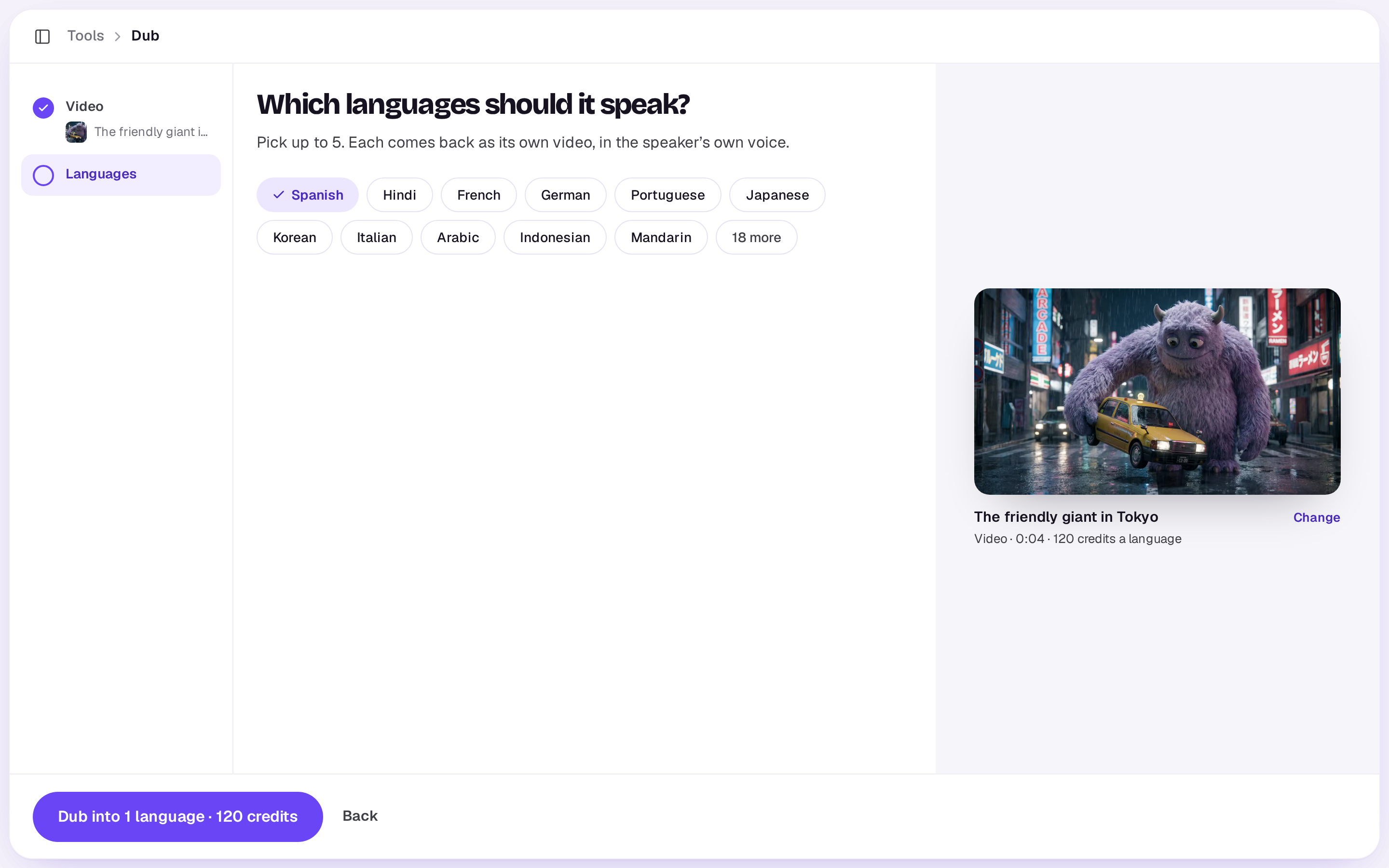
Dub is priced for each started minute of video, for each language. Videos can be up to 10 minutes. It takes a few minutes for each minute of video, and each language lands in your Library as it’s ready. To caption a dubbed copy, run Captions on it.
Sound effects
Makes the sound of what’s on screen, for a video that has none. Describe what it should sound like, or leave it empty and Shotz listens to the picture. It replaces any sound the video had. For videos up to 30 seconds. It’s a flat price, shown on the button. The result needs room in your Library: if it’s full, it stops before it starts. See Library storage.
Upscale
Upscale takes a photo or a video. For a photo, it’s made as much bigger as it can be, up to four times, with fine detail and faces put back, and goes into your Library as the original’s next version, a JPEG. The screen shows the size it will come out. It’s one flat price a photo. A photo of more than about 10.4 megapixels is already as big as Upscale makes one, and says so.
For a video, choose how it should come out:
- Sharper: up to 4K, with fine detail put back.
- Smoother: 60 frames a second, so fast moves don’t stutter.
Both are priced by the second of video, and Sharper costs more. The sound stays as it is. Videos can be up to 60 seconds.
Either way the result is the video’s next version rather than a file of its own, so the original waits in its Versions tab. See Upload a new version of a file.
While it works, the screen shows your clip and says how long to expect, from its length and size: a minute or two for a short one, around ten minutes or more for a long or high-resolution one. A photo is usually under a minute.
Extend
Grows a video at either end. The video sits on a timeline with room on both sides: drag its start out to add what leads up to it, its end out for what happens next, or both, 4 to 15 seconds a side. The new seconds show as faded frames while you drag. Seconds before it end on the video’s first frame, and seconds after it carry on from its last, so each plays straight into the original. Each new part lands in your Library as a file of its own next to the original; with both, Open it as one edit puts the three in order on a new edit. Say what happens in each, or leave it to carry on as it is. Under Options, Sound starts on, which makes sound for the new seconds too; turn it off if you don’t want that. Each side is priced by the length of the video plus the seconds it adds, for videos up to 30 seconds.
In the editor, pick a video clip and choose Extend… from Tools. Each new part goes on the timeline beside the clip, before or after it, and the rest of the cut moves along to make room, even if you close the tab while it’s being made. If the clip’s track is locked, the new part isn’t placed on the timeline; it lands in the edit’s media for you to add once you unlock the track. It grows from the file’s own ends, so if the clip is trimmed on that side, drag its edge back out first for a clean join.
Too long?
If a video is over a tool’s limit, trim it in an edit, export the part you need, upload that and try again.
A real person in Melbourne will write back, usually within one business day.