Make a carousel with the Carousel maker
Slides to swipe through on Instagram or LinkedIn, from a topic, a link or a video, in your brand.
The Carousel maker makes a carousel for Instagram or LinkedIn: a few slides people swipe through, a hook first, then the points, then a call to action. Shotz writes the slides, you change whatever you like, and it opens as one design in Studio with a page for each slide, in your brand’s colours and type. Open Tools → Carousel maker.
1. Start
Choose what it starts from:
- A topic: a few words about what the carousel is about, and who it’s for.
- A link: the address of an article or a page anyone can open. Shotz reads its words. A page that needs signing in, or turns readers away, can’t be read; say what it’s about as a topic instead.
- A video: a video in your Library. Shotz reads its transcript, so it needs people talking in it. A transcript is made a minute or so after an upload.
With a brand on Pro or Team, the switch named for it, such as In Okafor Studio’s voice, writes the slides the way your brand speaks. Then Write the slides · free.
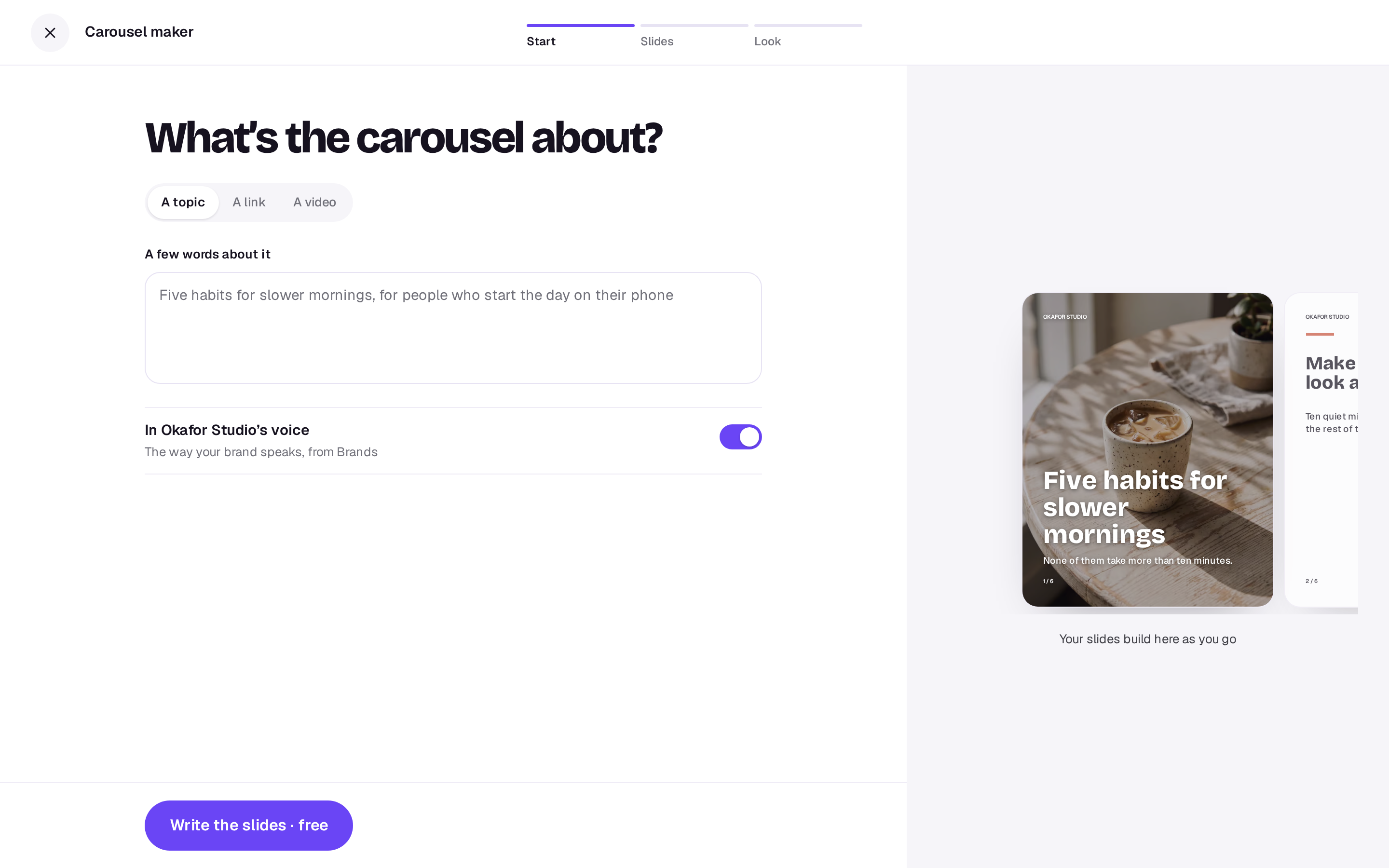
You can also ask the Agent to set one up. It opens this tool with what the carousel is about, a link, or a Library video already filled in. Check it and go on; nothing is written or spent until you do.
2. Slides
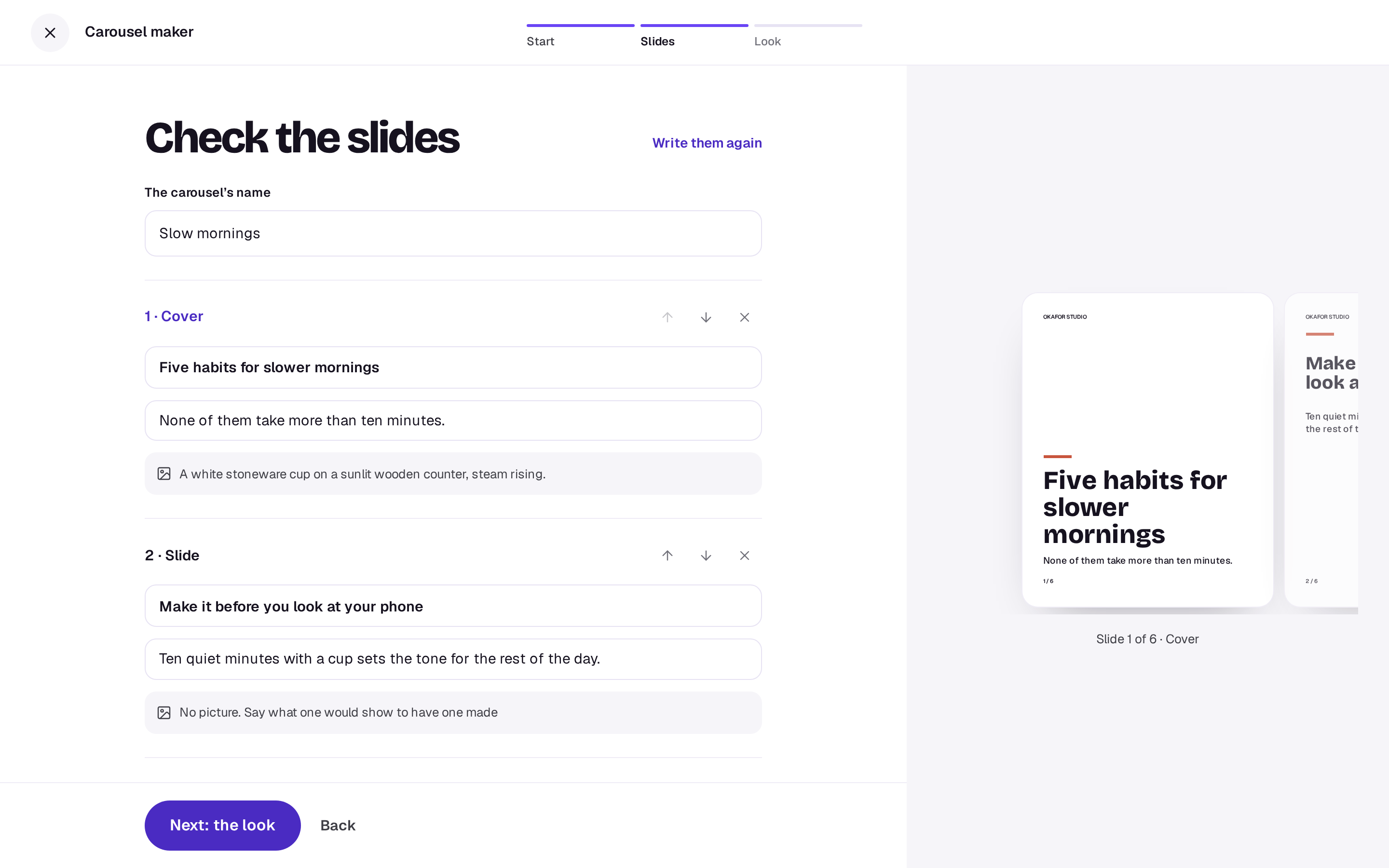
Shotz writes five to eight slides. The first is the cover, the last is the closing with a call to action, and the ones between each make one point. Change any headline or the words under it, move a slide up or down, remove one (a carousel keeps at least 2), or Add a slide before the closing (up to 10). A slide’s layout follows where it sits: whichever is first is laid out as the cover.
Each slide but the closing can have a picture idea, a sentence saying what a picture for it would show. Leave it empty for a slide that reads best as type alone. Not happy with them? Write them again. The preview shows every slide as it will come out; swipe through it or tap one to work on it.
3. Look
Choose Next: the look. Pick the Shape: Portrait 4:5, the tallest a feed shows, or Square 1:1. Then Pictures:
- None: type only, on your colours. Free.
- Your Library: pick images from your Library. They go on the slides in the order you pick them, the cover first, one a slide, never on the closing. Free.
- Make them: a picture is made for each slide with a picture idea, priced on the button. Each is charged as it’s made, and one that doesn’t work gives its credits back.
The button at the foot, such as Make 6 slides · free, builds the carousel and opens it in Studio straight away. Pictures being made land on their slides as they come out, usually within a minute or two; a slide whose picture didn’t work stays as type.
What you get
One design in Studio, named for the carousel, with a page for each slide in order. Every slide keeps the same margins, your brand’s name small at the top when you have one, and its number at the foot. Change a word, a colour or a picture, use the image tools on a picture, then export the pages as PNGs or JPEGs, all at once as a zip, ready to post.
A real person in Melbourne will write back, usually within one business day.