Reframe a video
Put a video in a new shape, such as wide to vertical: cropped to follow the subject for free, or with the new space filled in.
Reframe puts a video from your Library in another shape: 16:9, 9:16, 1:1 or 4:5. There are two ways to do it:
- Crop it, following the subject is free and works on a video of any length. The video fills the new shape, and the crop moves to keep the person or thing that matters in the frame. Where they move too far for one crop, the video is cut there and each part is framed on them. It opens as a new edit, so you can change any part and then export it.
- Fill in the edges keeps the whole picture and fills the space around it to match, so a wide shot can become a vertical one with more sky and street above and below. It makes a new video of up to 10 seconds, which lands in your Library next to the original.
Reframe a video
- Open Tools and pick Reframe, or open a video in your Library and pick Reframe it under Tools.
- Under Which video?, pick a video. To use one of your video edits, switch to Studio and pick it: the tool works on its latest export. An edit you haven't exported says Not exported yet; export it from the edit, then pick it here.
- Under What shape should it be?, pick Story 9:16, Square 1:1, Portrait 4:5 or Wide 16:9, each drawn as its frame. The shape it is now isn’t offered. Picking one takes you straight on.
- Under How should it get there?, pick Crop it (free, following the subject, any length) or Fill in the edges (nothing cut off, up to 10 seconds). Each card shows your video cropped or filled.
- For Fill in the edges, open Options. If the video is longer than 10 seconds, move the slider under Which 10 seconds to the part you want. If you like, write under What fills the new space what should go there, for example “More of the street, with the café’s awning on the left”.
- Choose Crop it or Fill it in. Filling in shows its price on the button.
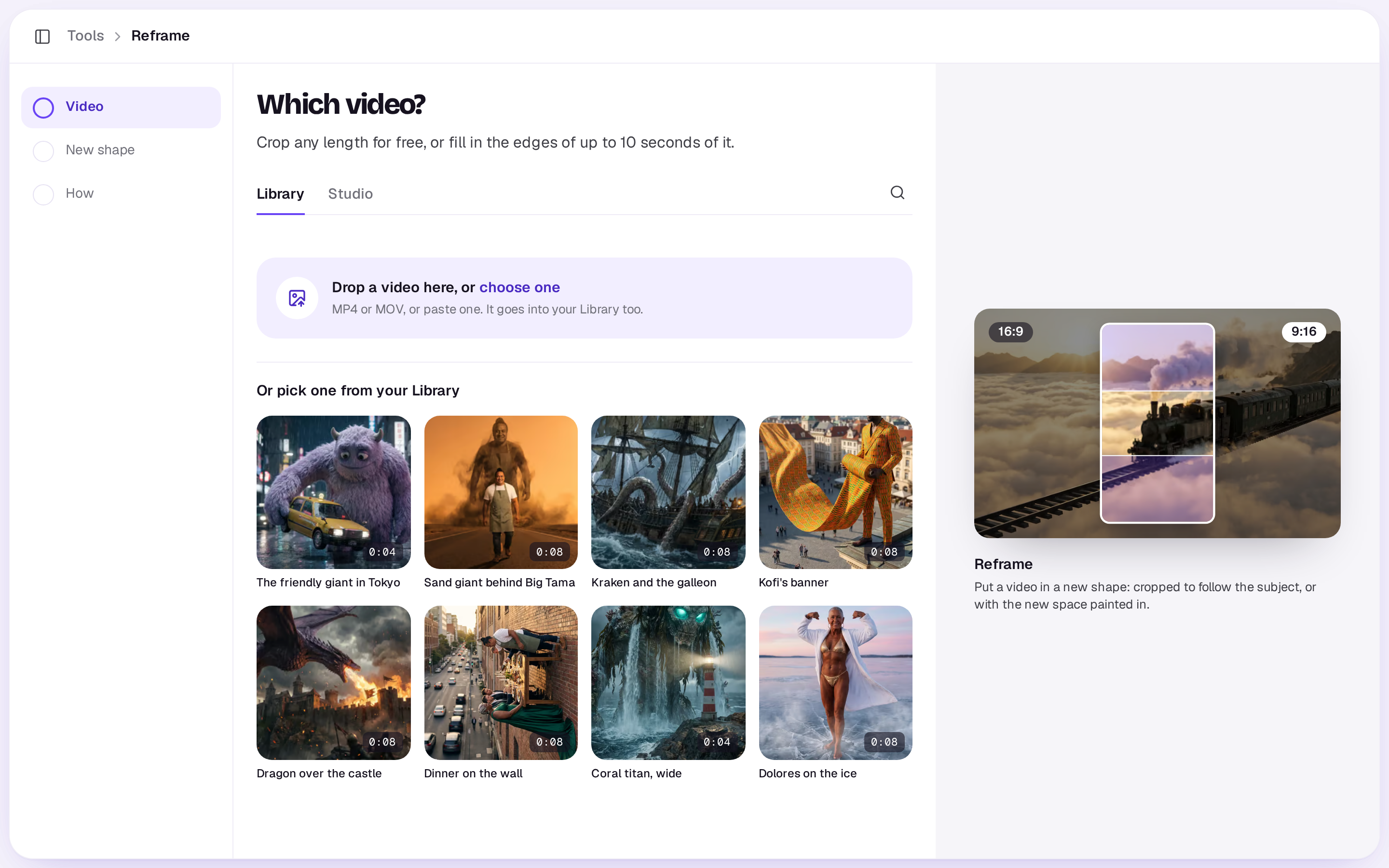
Cropping takes a few seconds while Shotz looks at frames of the video, then the new edit opens. Filling in takes a few minutes. You can close the tool while it works. If it doesn’t work, your credits come back.
In the editor
Pick a video clip on the timeline whose shape isn’t the edit’s, and open Tools in the timeline’s toolbar:
- Crop to the edit’s shape, following the subject, is free. The clip fills the frame and is cut where the subject moves, each part framed on them. It’s one step, so Undo puts it back. Drag a part in the preview to move its crop.
- Fill in to the edit’s shape asks what should fill the new space, which you can leave empty, and its button shows the price. It fills in the part of the video the clip uses, up to 10 seconds from where the clip starts, and the new video lands in Media for the edit when it’s ready, so you can swap it in.
What it costs
Cropping is free. Filling in is priced for every started second it makes, up to 10 seconds. The price on the button is what you pay.
Good to know
- To find the subject, frames of the video are read in your browser and looked at by an AI model. If that can’t be done, the crop stays in the middle and Shotz says so.
- Filling in makes up to 10 seconds at a time, at 720p. For a longer stretch, fill it in in parts.
- The Agent can fill in a video too: ask it, or use the Reframing skill.
A real person in Melbourne will write back, usually within one business day.