Recast someone in a video or photo
Put one of your characters, or someone from a photo, in place of the person in a shot, with everything else kept.
Recast makes a new copy of a video or photo from your Library with someone else in it. The person closest to the camera is swapped for one of your characters, or for someone in a photo you pick, and everything else stays: the camera, the movement, the timing, the light and the background. The new file lands in your Library next to the original, and the original stays as it was.
Recast a video or photo
1. Open Tools and pick Recast, or open a video or photo in your Library and pick Recast under Tools. 2. Under Which video or photo?, pick one with a person in it. A video can be 1 to 30 seconds long. 3. Under Who should be in it?, pick one of your characters, or choose Or use a photo from the Library and pick a photo of them. 4. If it isn’t the person closest to the camera who should go, say who under Who they replace, for example “the woman in the red coat”. Add anything else under Anything else. 5. Pick who makes it, when more than one can: - For a video: Seedance 2.5 keeps the face closest to their pictures and makes the sound again with the picture (4 to 30 seconds). Kling 3.0 Omni keeps the original sound (3 to 15 seconds). SwitchX by Beeble keeps the picture’s own pixels and relights the new person to match (up to 8 seconds). - For a photo: Nano Banana Pro keeps the new face true to their pictures. SwitchX by Beeble keeps the photo’s own pixels and relights them to match. 6. Choose Recast. The button shows the price.
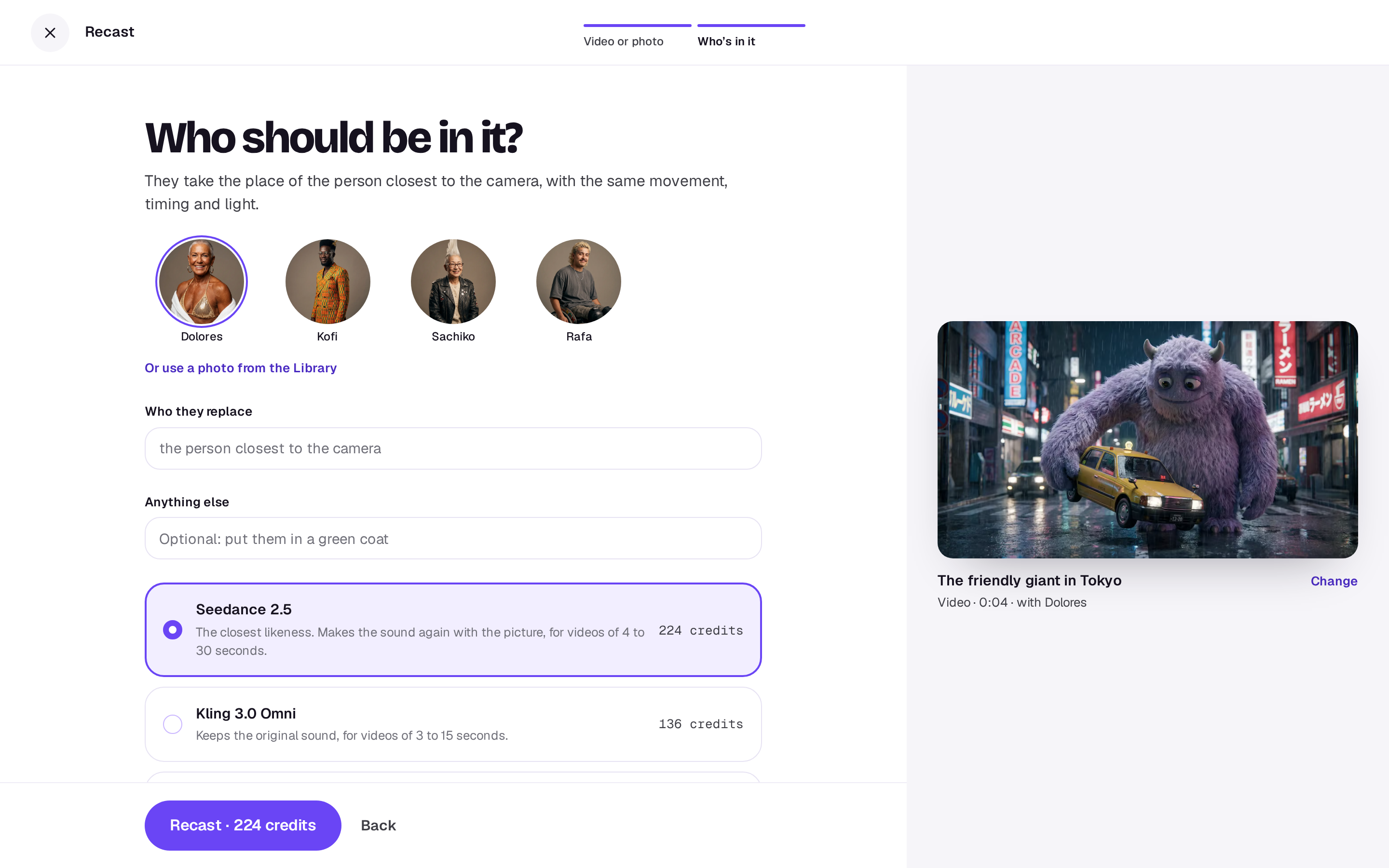
A video takes a few minutes and a photo about a minute. You can close the tool, or stop it while it works and get the credits back. If it doesn’t work, your credits come back. A result made by SwitchX is marked Powered by SwitchX under it.
A character made in Elements works best: it carries several photos of the same person, so they look like themselves from shot to shot.
In the editor
Pick a video or photo clip on the timeline, open Tools in the timeline’s toolbar, and choose Recast as one of your characters. The new file lands in Media for the edit when it’s ready, so you can compare it and swap it in. It recasts the whole video the clip comes from when it’s short enough, and otherwise the part this clip plays.
In Studio
Open Magic with a design open. Under Recast, choose one of your characters, and the image on the page is swapped for the recast one when it’s ready. Undo puts the original back.
With the Agent
Ask the Agent, for example “Put @maya in this clip” with a video open or named. For a video or photo in your Library it shows a card with the price, and nothing is made until you press it. In Studio, it can recast the open image, which starts after five seconds with Stop beside it.
What it costs
A video is priced for every started second, because the new one is just as long, and a photo is one price. The price on the button is what you pay.
A real person in Melbourne will write back, usually within one business day.