Turn a product photo into a video
Five seconds of your product turning, floating or coming out of a box, from one photo.
Product video makes five seconds of video from a photo of your product. The photo starts the video and the product stays exactly as it is: its shape, colours and labels. Open Tools → Product video, or open an image in your Library and choose Make a product video under Tools.
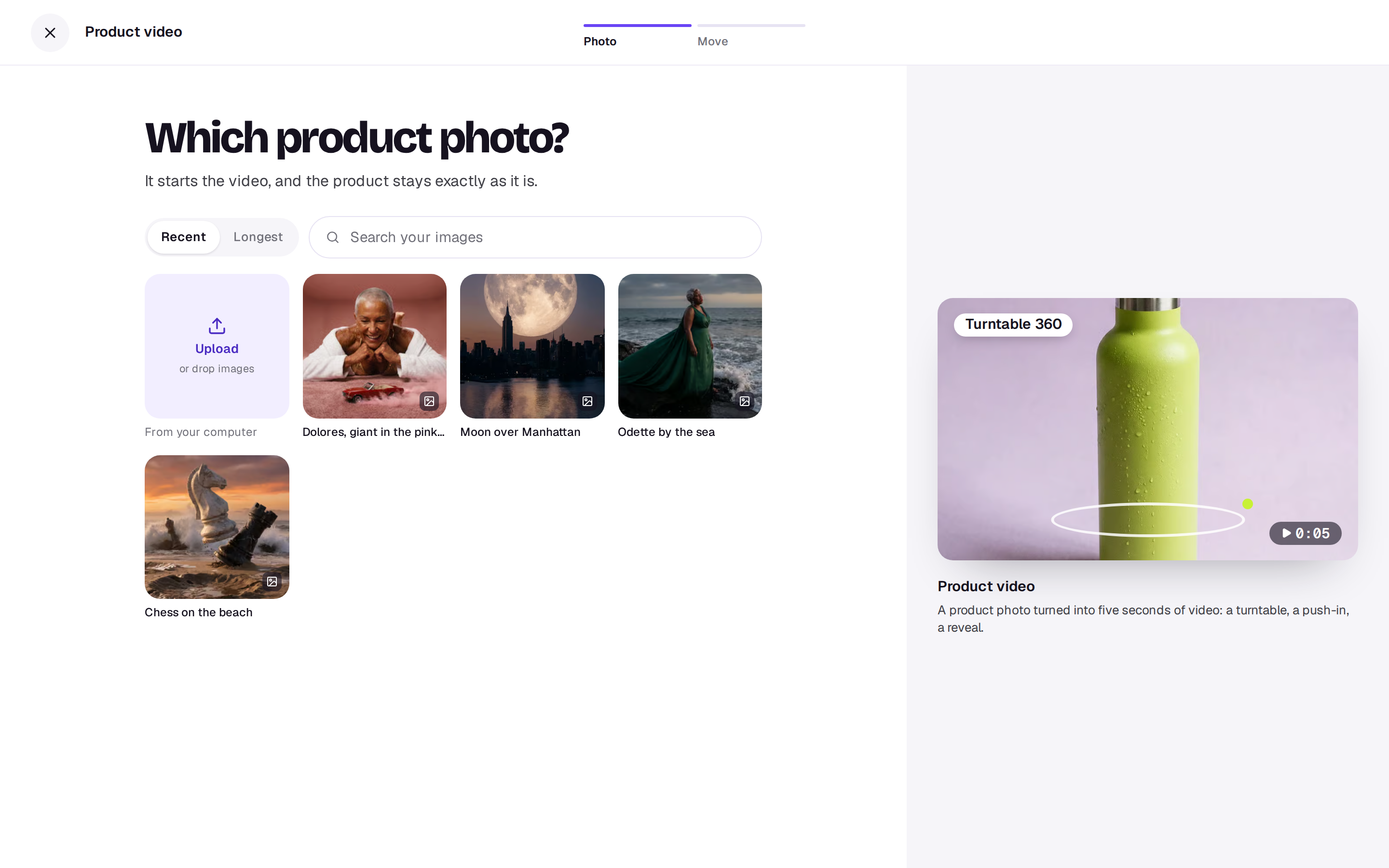
1. Photo
Pick a photo of the product from your Library, or choose Upload. A clear, well-lit photo with the whole product in it works best.
2. Move
Pick how it should move:
- Turntable 360: it turns all the way round.
- Slow push-in: the camera eases in close.
- Floating hero: it lifts and drifts in the air.
- Unboxing reveal: out of a plain box, into the light.
- In use: someone using it, naturally.
Then pick the Shape: 9:16 for stories and Reels, 1:1 square, or 16:9 wide. The button says what it costs.
What you get
A five-second video with no sound, in your Library next to the photo. Put it in an edit with Edit in Studio, add music with the Music tool, or download it. If it doesn’t work, the credits come back.
A real person in Melbourne will write back, usually within one business day.