Export a video
MP4 up to 4K, the sound on its own, captions as a file, or the timeline for another editor.
Open an edit and choose Export. Exporting is free on every plan and adds no watermark.
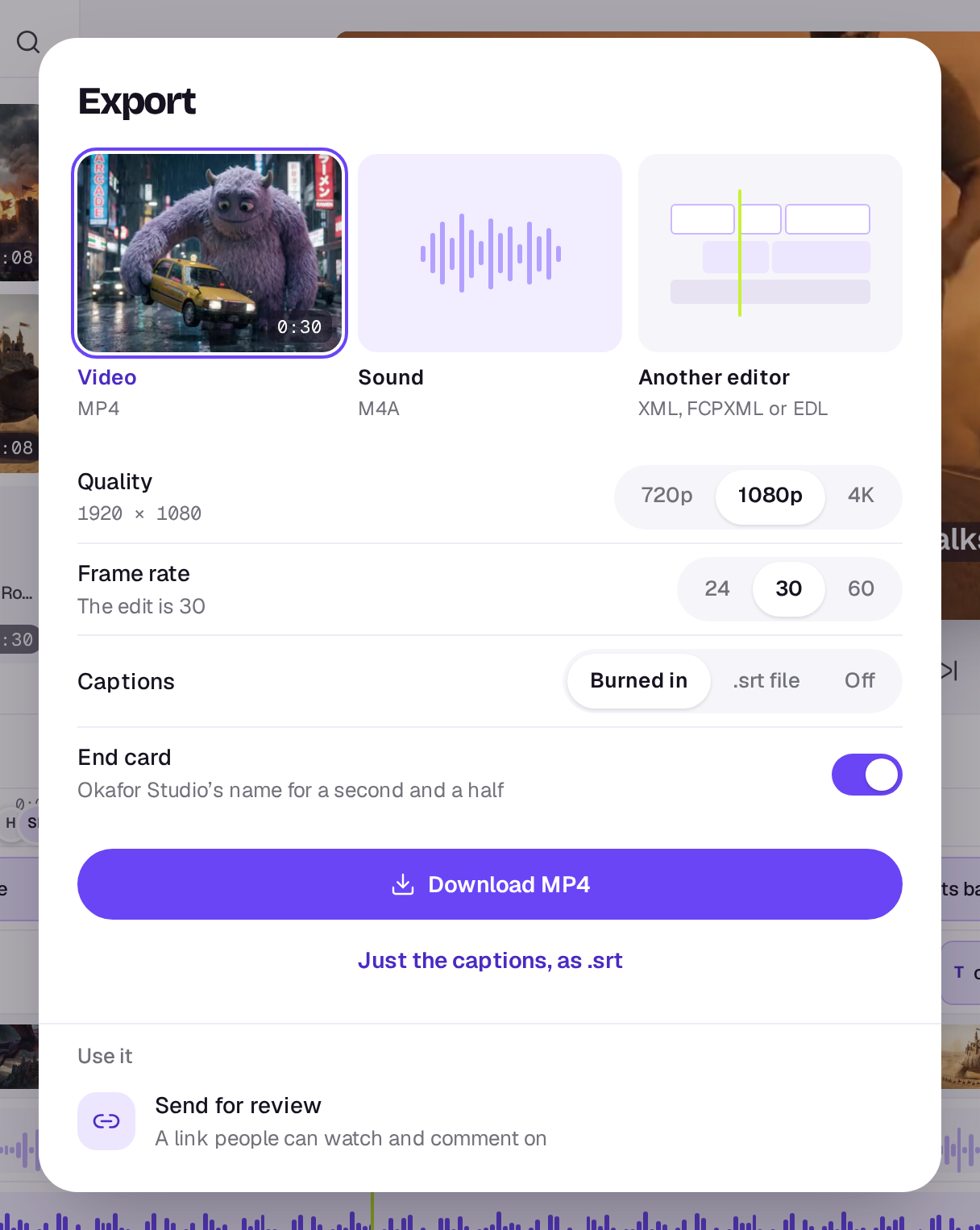
Video
Shotz makes an MP4 in your browser, so keep the tab open until it finishes. The dialog shows the progress as it renders.
- Quality: 720p, 1080p or 4K. Every quality reads your original files, so 720p looks as good as the source allows. The lighter copy the editor plays is only a fallback when your browser can’t decode an original.
- Frame rate: 24, 30 or 60.
- Captions: Burned in to the picture, saved as a separate .srt file, or left Off.
Choose Download MP4. The video downloads, and a copy goes into your Library under Exports. To send it to someone for comments instead, choose Send for review under Use it at the foot of the dialog (on a desktop). It closes Export and opens Share. See Share an edit for review.
The shape comes from the edit itself. To make a vertical video for TikTok or Reels, set the edit to 9:16 before you export, with the shape at the right of the play controls under the preview.
Hidden tracks don’t show in the video, and muted tracks are silent. If the export stops, check every clip has finished processing, then try again.
Sound only
Choose Sound, then Download sound, to get the edit’s sound on its own. It’s mixed the way the video’s is: clip volumes, speeds, fades and Lower under voices all count, for the whole length of the timeline. You get an M4A, or a WAV if your browser can’t make an M4A. The file downloads, and a copy goes into your Library under Exports. If nothing on the timeline makes a sound, it says so.
Captions only
With Video picked, choose Just the captions, as .srt under the main button to get the captions as a file without making the video. The edit needs captions first; make them with the Captions tool in the editor. See Captions in the editor.
Another editor
Choose Another editor, then the File: XML for Premiere or Resolve, FCPXML for Final Cut, or an EDL. The clips, cuts, timings and sizes go across. Every transition goes over as a dissolve, since other editors don’t have Shotz’s transitions. A hidden track’s clips and a muted track’s sound come across switched off. Titles and captions stay in Shotz as clips; captions can come as an .srt (below). A video’s sound you detached comes across as a clip on an audio track, with the picture’s own sound off. In an EDL, a clip on the bottom video track that plays its own sound comes in on channel B, so Resolve and Premiere bring it with its audio. A clip with its sound off, or at zero volume, and a photo stay on V.
Turn on Include the media to zip the original files with the timeline so it relinks. If the edit has captions, the zip also has them as an .srt beside the timeline, and without Include the media they stay in Shotz. If the files come to a gigabyte or more, this starts off and the dialog says how big they are; turn it on if you want them. If a file can’t be downloaded, the zip lists it in MISSING.txt.
On a phone
Export works the same way on a phone. Choose Video, Sound or Another editor, then the button at the bottom. See Edit on your phone.
A real person in Melbourne will write back, usually within one business day.