Keyboard shortcuts in the editor
The keys for playing, marking, splitting, cutting, deleting and undoing in the editor.
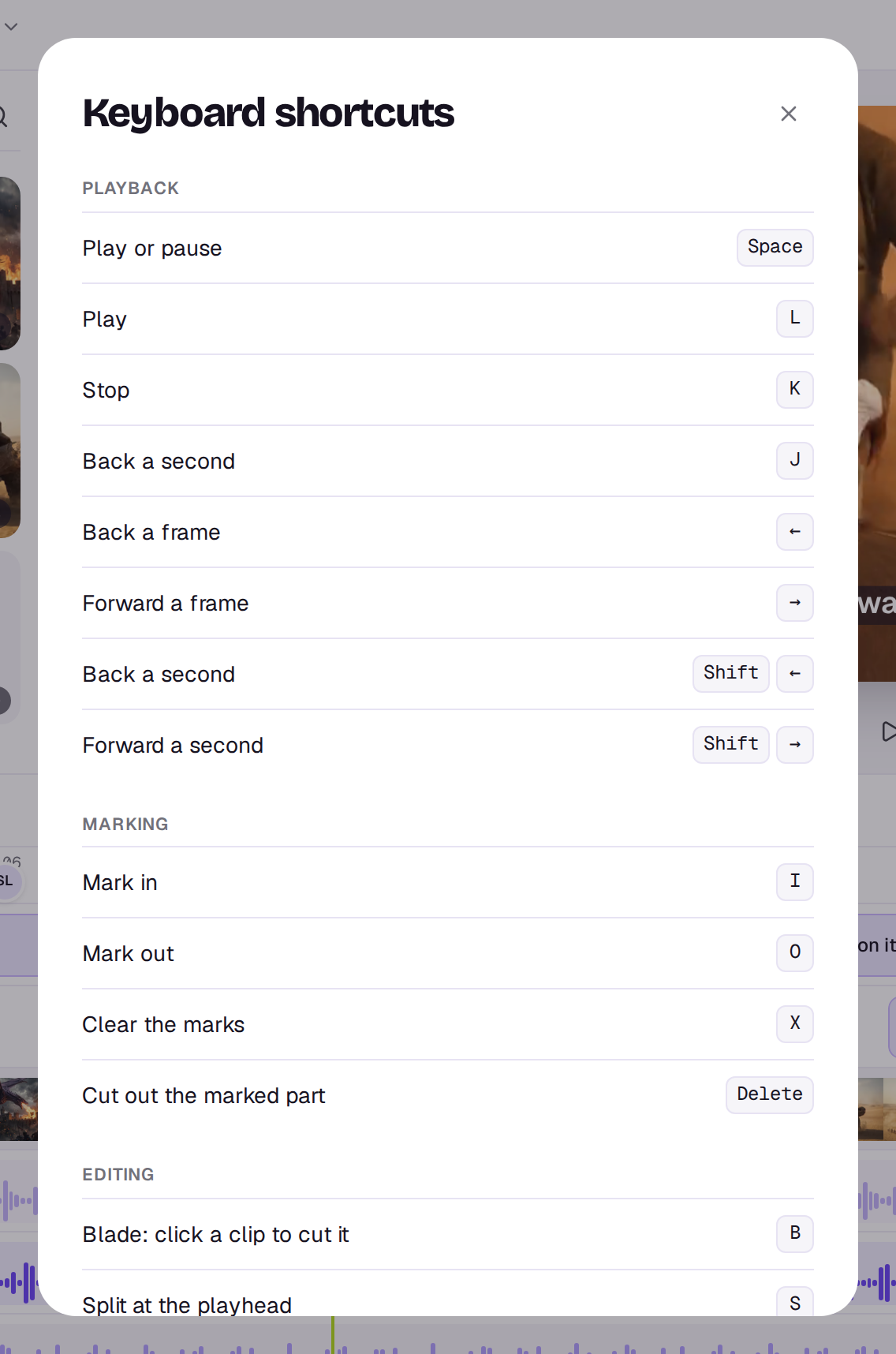
Press ? in the editor to see these at any time. On Windows, use Ctrl where a Mac uses ⌘, and Alt where it uses ⌥.
Playback
- Space: play or pause.
- L: play. K: stop.
- J: back a second.
- ← and →: back or forward a frame.
- Shift ← and Shift →: back or forward a second.
Marking
- I: mark in at the playhead. O: mark out.
- X: clear the marks.
- Delete: cut out the marked part, from every track that isn’t locked, and close up.
Editing
- S: split at the playhead. With clips picked, only those are split.
- B: pick up the blade, then click a clip to cut it where you click. Press B or Esc to put it down.
- Delete (or Backspace): delete the picked clips. On the main track the gap closes up. If you’ve picked a gap, a marker or a marked part instead, Delete closes the gap, removes the marker or cuts the part out.
- Shift Delete: delete and close the gap on any track.
- ⌘Z: undo. The editor has no undo buttons on a computer; a delete says what it did in a message with Undo beside it.
- ⌘ Shift Z: redo. Ctrl Y works too.
- ⌥ while you drop: drop a file from Media onto a clip of the same kind to take that clip’s place.
- M: add a marker at the playhead.
- C: leave a comment at the playhead. It opens Comments with the cursor in the box.
- Shift-click: pick more than one clip.
- Esc: let go of the picked clips.
- \\ (backslash): in a Studio design, hold it to see the original image. See Studio.
On the timeline
- + and −: zoom in or out.
- Shift Z: fit the whole timeline.
- N: turn snapping on or off.
- ⌥ ↑ and ⌥ ↓: with a track’s name focused, move the track up or down.
- Enter: with a track’s name focused, rename the track.
- Hold Shift while you drag a clip’s end to ripple trim on any track: everything after it moves with the change. On the main track, trims close up on their own.
In a Studio design
Press ? in a design for its own list. See Studio.
- Delete: delete the picked layer. ⌘D: duplicate it. The arrow keys nudge it.
- ⌘Z and ⌘ Shift Z: undo and redo. Esc lets go of the pick. \\: hold to see the original image.
- ⌥ while you drop a file on the picked image: replace it. ⌥ ↑ and ⌥ ↓: move a layer up or down in Layers.
- C: leave a comment. It opens Comments with the cursor in the box.
- ⌘-click a page: pick another page. Shift-click: pick a run of pages. ⌘A: pick every page.
- ⌘ + and ⌘ −: zoom in or out. ⌘0: fit the page. ⌘1: zoom to 100%. Hold Space and drag to move around when zoomed in.
Help
- ⌘J: open or close the Agent. See The Agent.
- ?: show these shortcuts.
The keys don’t work while you’re typing in a box, such as a prompt or a title, so you can type an S or a space there as usual. Anyone who can only comment can play and step through the edit, but the editing keys do nothing.
Still stuck?
Contact supportA real person in Melbourne will write back, usually within one business day.