Share an edit for review
A link anyone can open to watch an edit or see a design, leave comments on a moment or a spot, and approve it.
A review link lets a client or a friend watch an edit, or look at a design from Studio, and tell you what they think, without an account.
Turn the link on
- Open the edit and choose Share.
- Under General access, change Only people with access to Anyone with the link.
- Beside it, pick Can watch or Can comment.
- Choose Copy link, next to Done, and send it however you like.
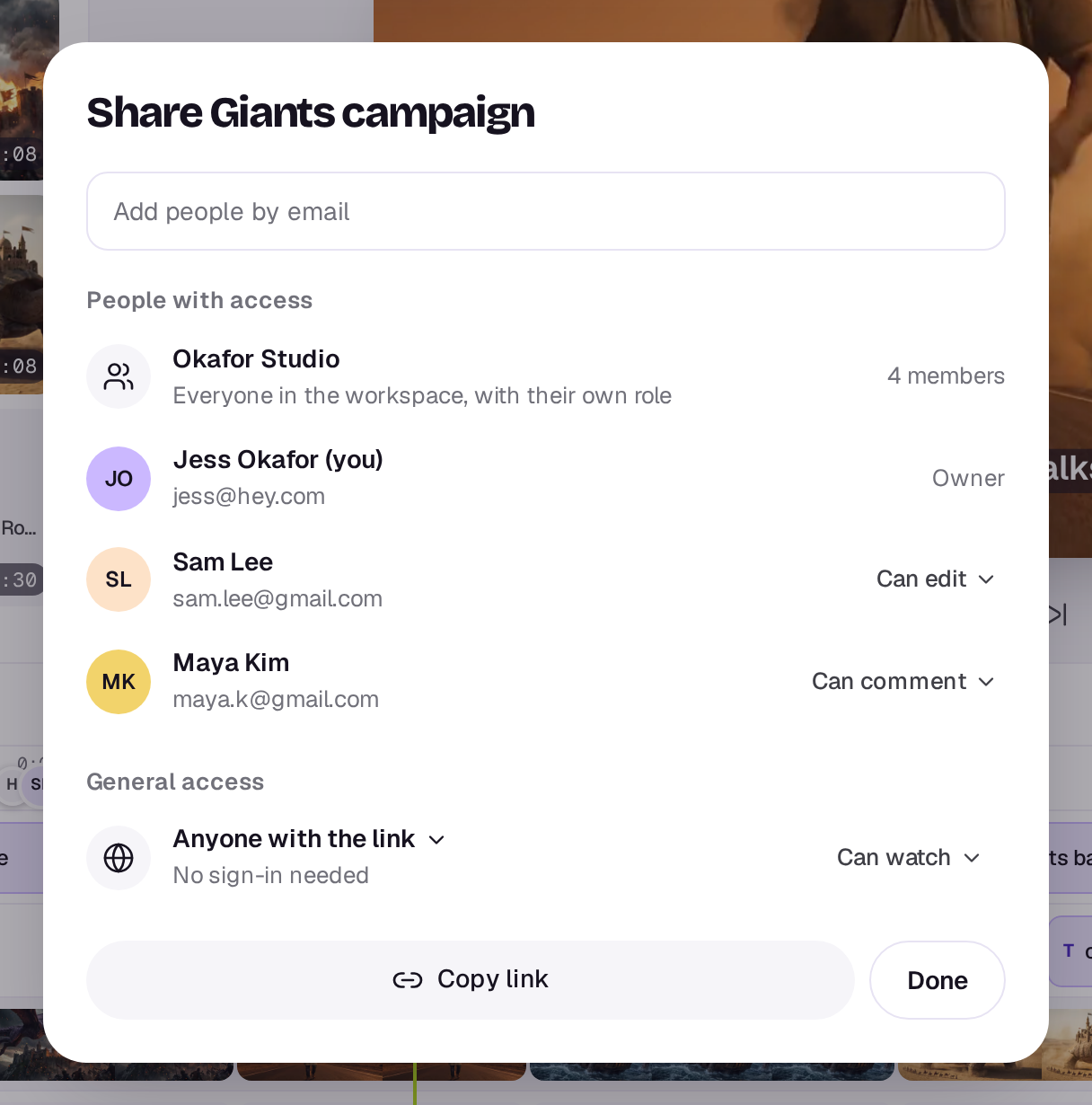
Can watch plays the edit and nothing more. Can comment adds a Comments tab and an Approve this cut button (Approve this design for a design). Anyone who can edit it can turn the link on, change it or set it back to Only people with access; once it’s off, the link says it isn’t working.
The link plays the cut you had open when you turned it on. If the edit has several timelines and you’re looking at another one, the dialog says which timeline the link plays, with Share this cut instead.
What reviewers see
The edit plays as it does in the editor’s preview, with a play button and a scrubber along the bottom. Under it are Copy link and Full screen, and a Details tab shows who shared it, the timeline, its length and shape.
With Can comment, they pause on a moment, add their name and a comment, and press Send, the arrow at the bottom right. The name has its own box above the comment until they've given one. After that it shrinks to a small "as" and their first name beside Send, and choosing it lets them change it. Under the words are three buttons, and what each adds shows above the words with an × to take it off:
- Range holds the moment they're on, and the comment then covers everything up to wherever they move the playhead, for a note like "this whole part is too slow". While it's on, the times it covers show above the words.
- Pin waits for a click on the picture, and the comment is pinned to that spot.
- Draw marks up the picture: a pen, an arrow or a box, in lime, red or white. Undo takes back the last mark and Done puts the tools away. The drawing goes with the comment. Once you've drawn, Drawing shows above the words; its × throws the drawing away. Replies can't carry a drawing. When someone opens a comment that has one, it shows over the picture while the video is paused.
Each comment marks the scrubber (a range as a bar), and choosing a comment jumps back to its moment and shows its pin. Pins show while the video is paused on their moment. Anyone on the link can reply to a comment.
A design shows as a still picture with no scrubber: comments are pinned to a spot, or left on the whole design.
Tracks you’ve hidden with Hide track, audio tracks you’ve muted with Mute track, and disabled clips are left out, so a reviewer never sees or hears your outtakes.
People using the link see only the comments left through it and your team's replies to them, not your team's own comments.
Comments in the editor and Studio
Every comment, from your team and from every review link, is in the editor's and Studio's Comments tool, the last one on the left. Each opens on a small picture of the frame it's about, with its drawing and pin on it, and each person shows with their photo or initials. Choose one to jump to its moment and see its pin. From there your team can:
- Leave their own comments, with Range, Pin and Draw as above. In the editor and Studio, Draw's tools float at the top of the picture instead of taking the buttons' place. These stay inside your team. Type @ and pick someone from the list to mention them: their name shows as a chip in the comment, and they get a notification saying you mentioned them, and an email unless they've turned comment emails off. Only people in your workspace can be mentioned, and comments left through a review link can't mention anyone. Pick Agent from the same list, or type @agent, to ask the Agent: it reads what the comment is on and the conversation so far, and answers as a reply in the thread a moment later, with its sparkle beside it, and you get a notification when it has. If you’re an editor or owner, it can also do what you ask, such as make a black and white version of a picture, rename or file things, or start a doc: see The Agent. In a conversation a reviewer started through the link, the Agent's answer shows to them too, so there it answers from the edit alone, without looking through your Library.
- Reply. A reply to a reviewer's comment shows on their link.
- Resolve a comment with its tick when it's dealt with. Resolved comments move to the Resolved tab at the top of the list, and reviewers see them marked Resolved.
- Delete their own comments. Editors can delete anyone's.
New comments and replies, from your team or from a review link, appear in the list as they’re left, without reloading.
Each open comment also shows on the timeline's ruler as the face of whoever left it, with a bar along the ruler for a range. Faces close together stack, with a count when there are more than two. Point at one to read what was said and see the frame; choose it to open the comment.
Everyone on the edit gets a notification for each comment and reply, and an email unless they've turned it off. Someone you mention gets the mention instead, not both. Choosing the notification opens the comment. See Notifications.
Approval
When a reviewer chooses Approve this cut, the page and the Share dialog say Approved by and their name. If anyone changes the edit afterwards, the approval no longer counts and they’ll need to approve the new version. Pointing the link at another timeline clears it too.
A link takes up to 30 comments and approvals an hour from the people using it, whether or not they’re signed in to Shotz, so a busy link may ask them to try again a little later. Comments from your workspace’s members and from people invited to the edit don’t count towards that.
A real person in Melbourne will write back, usually within one business day.