Choose a model, or leave it on Auto
How Auto picks a model for your prompt, why its price can change, and picking one yourself.
Shotz runs the leading video and image models side by side. You can pick one, or leave the model on Auto and let Shotz choose for each prompt.
What Auto does
Auto is where video starts, and in the card it’s where images start too. In the model list it’s the first choice. Auto only picks among the models your workspace has on (see Turn models on or off).
- It keeps only the models that can make what you asked for: your shape and length, sound if it’s on, an end frame, and reference images, whether you picked them or they come from tagged elements. Among those, it prefers the models that use the most of what you attached.
- It reads your prompt and any skill you’ve picked, and your start frame, reference images and the photos of tagged elements, to work out what kind of shot it is.
- It ranks those models on how people rate them in blind side-by-side votes for that kind of shot, and weighs that against price. A model that costs twice as much has to be clearly better to be chosen. A model that hasn’t been rated yet is left out while a rated one fits, but you can still pick it yourself.
Why the price says “from”
Until Auto has read your prompt or skill, the model chip in the card just says Auto, and the send button shows the least the run could cost, with from in front. The button shows a price only when your words read as a shot to make; a question, or a request to write or plan something first, leaves it a plain arrow. Once you pause typing, it settles on a model and shows that model’s price. Hover over the chip to see which one. Change a setting and it reads again. Shape and Length can be on Auto too, which reads your words and start frame to set them, and asks the same model that reads your prompt when they don’t settle it. Auto then picks a model for the shape and length it chose. In the Agent’s card, Auto also decides between a picture and a video from your words, so the model and price are for what will be made. See The card and its settings.
When you send, Auto checks its choice against exactly what’s in the card. If it now picks a different model or a different shape or length, or one that costs more than the price you saw, nothing runs and it tells you what it picked and the price. Send again to go ahead. You’re never charged more than the price you saw.
Pick a model yourself
Choose the settings pill in the card, the one that starts with Auto unless you’ve picked a model, then Model to see the list: on a computer it opens beside the menu, and on a phone in its place. It has tabs for Video, Image and Audio, a search box, and a line on what each model is best at. If nothing on the open tab matches what you typed but another tab has it, a button such as Found in Image takes you there. In the card, the tabs also switch what you’re making, and 3D and Worlds tabs sit beside them, each listing its own models with no Auto. They aren’t offered in an edit or on a board. See The card and its settings.
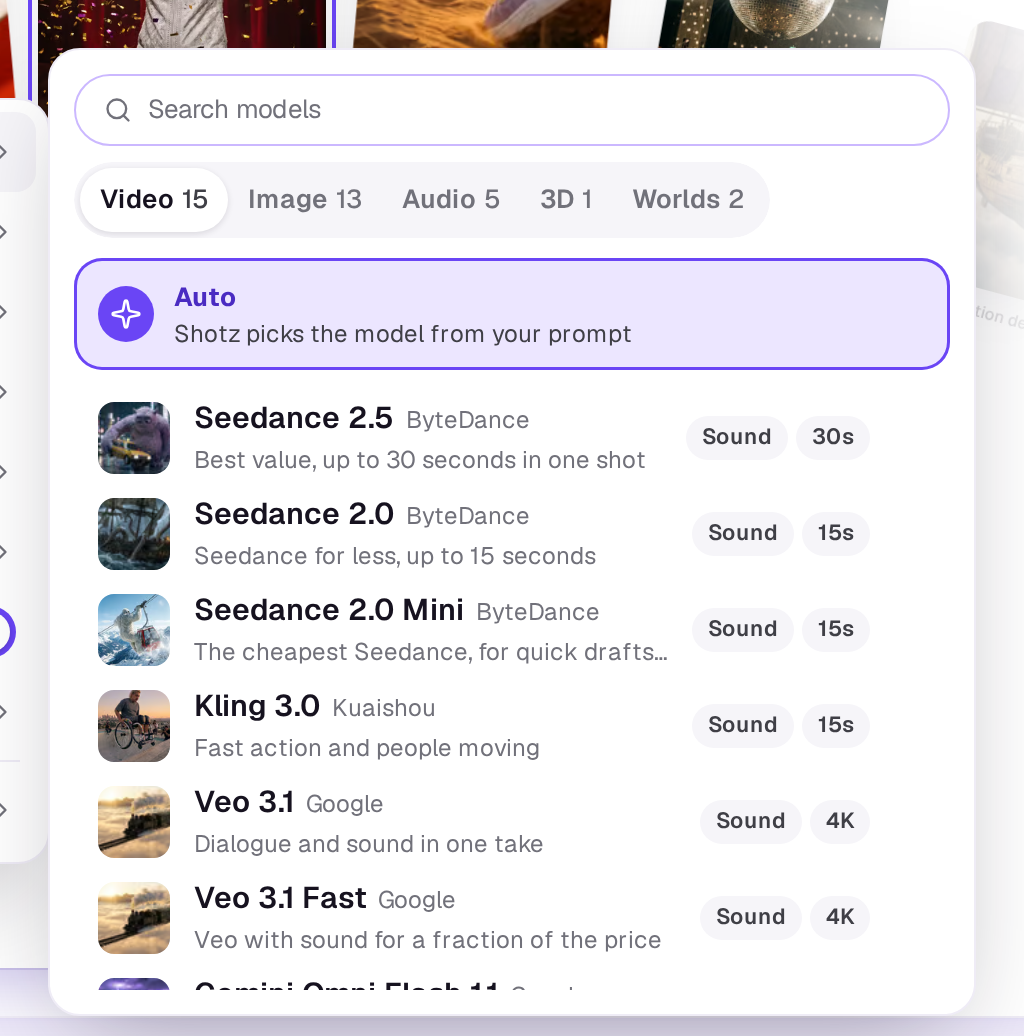
The length and quality choices change with the model, because each model makes its own range of lengths and qualities. Some models make nothing above 720p, some start at 480p, and some have only one quality, so the card shows no Quality setting for them. The list doesn’t show prices. The price on the send button is always for the model, length, quality and number of takes you’ve set.
Kling Avatar 2.0 and OmniHuman 1.5 are talking avatars: they make an image of a person say a voice track, and are priced by the second. See Start and end frames.
FLUX.2 klein is the free image model, marked Free in the list: 50 images a day for each person on every plan, then one credit an image. It’s made for fast drafts: try the idea on it, then make the keeper on a bigger one. It takes up to four reference photos and makes about a megapixel in the shape you pick, with no Quality setting. The button says Free while today’s free images last, with how many are left under it. On the Free plan, Auto picks it for a picture it can make with everything you attached, while you have free images left; on a paid plan, choose it yourself from the Image tab. See How credits work.
Turn models on or off
An owner chooses which models a workspace can use in Settings → Generative models: one switch per model, in groups for Video, Talking avatars, Image, Voice and music and 3D and worlds. A model that's off isn't in the list, Auto doesn't pick it, and the Agent doesn't plan with it. New models start on. At least one video model and one image model stay on. Voice and music, and 3D and worlds, can all be turned off. Voiceover and Music leave out a model that's off; if every one they use is off, they say so and to ask an owner to turn one on.
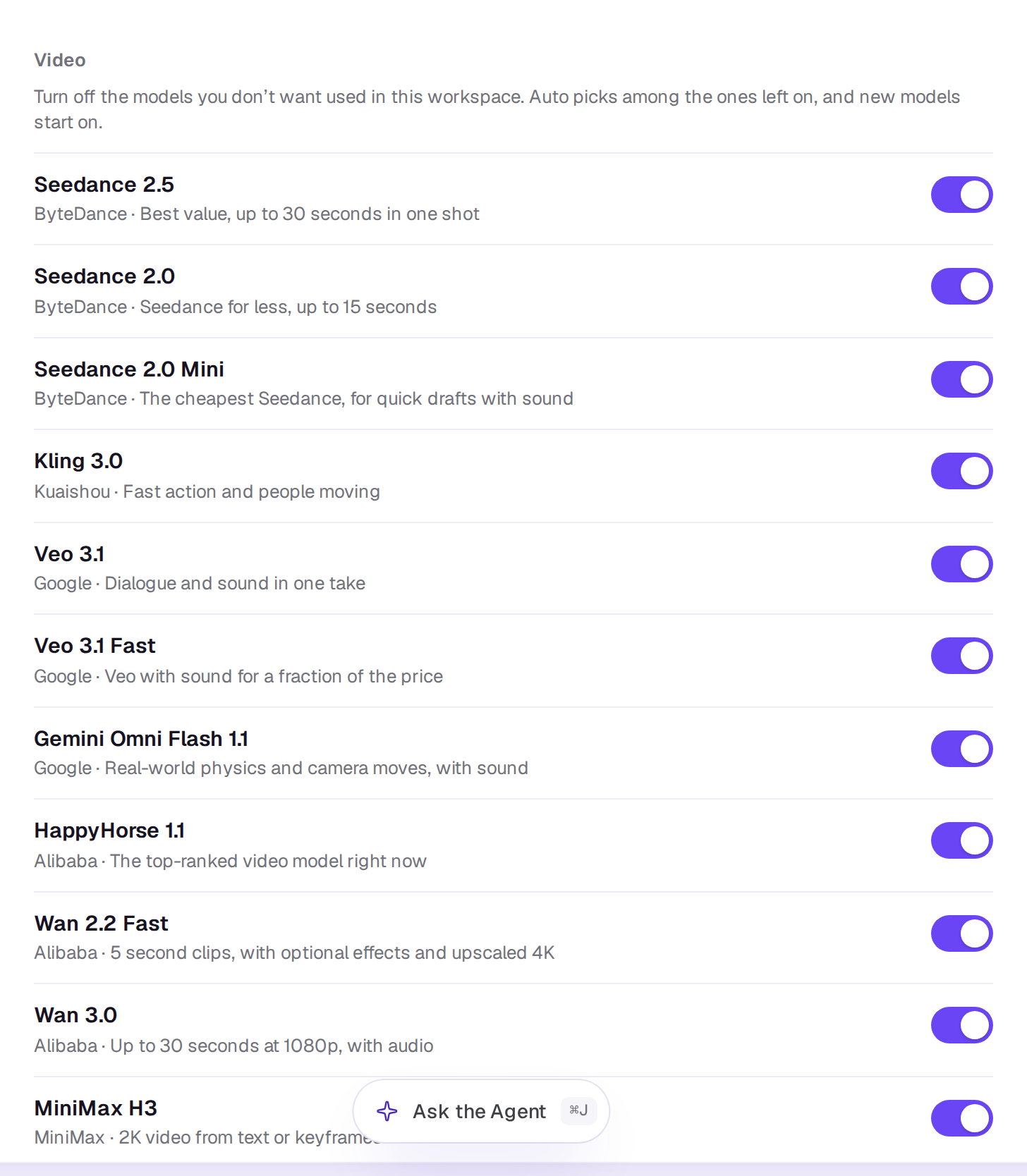
Tools such as UGC ads, Talking photo and look sheets choose their own models, so turning a model off doesn't stop them. Everyone in the workspace can see the page; only owners can change it.
Trying the same prompt on another model
Open the take in your Library and open its Prompt tab and choose Reuse prompt. It puts the prompt and the settings it was made with back in the card, so you can pick a different model. In an edit, a generated clip’s Tools menu in the timeline’s toolbar offers Make it on other models with the same prompt and frame. See Takes, re-rolls and fixes.
Failed takes are free: see What happens when a take fails.
A real person in Melbourne will write back, usually within one business day.