How credits work
What credits pay for, where they come from and which ones are spent first.
Credits pay for generating: videos, images, voiceovers, music and the tools that run a model. Editing never uses credits, and neither does exporting.
A workspace’s credits are shared by everyone in it.
Where credits come from
- Your plan. Each plan comes in a few sizes, and you pick how many credits a month: Starter 1,000 or 2,000, Pro 3,000 to 20,000, Team 10,000 to 80,000. On a yearly plan they still arrive monthly. See The plans and what’s in each.
- Earning them. Everyone signed in earns a few credits for using Shotz, on every plan. See Earn credits below.
- Top-ups. Any amount from 500 to 100,000 credits, in hundreds, at 1.5 cents a credit, bought any time from Settings → Plan and billing → Buy credits. See Buy more credits.
The Free plan has no plan credits, but it makes 50 images a day free on FLUX.2 klein (see Free images below). You can use the whole editor and export without a watermark, and buy top-ups for more.
Free images
FLUX.2 klein is free: it makes up to 50 images a day for each person, on every plan, with no credits spent. It’s marked Free in the model list, and the button says Free while today’s free images last; under it you’ll see how many are left, such as “42 of 50 free today”. After 50 it costs its usual 1 credit an image, and you get 50 more the next day (the day changes at midnight UTC). An image that fails or that you stop doesn’t use one up. It’s quick and good for drafts; for a finished picture, pick another model.
On the Free plan, Auto and the Agent make pictures on FLUX.2 klein while you have free images left, unless you pick another model. On any plan, when a picture would cost more credits than you have, the Agent makes it on FLUX.2 klein instead while free images last, and says so.
Free images are for making things yourself, with fair use: don’t automate them or open extra accounts to collect more. They aren’t free through the API. See the terms.
Earn credits
Everyone signed in earns credits in the community, on every plan, the Free plan included:
- A post goes live in the community: 5 credits, for up to 3 posts a week.
- Someone remixes your post: 2 credits when someone outside your workspace shares a remix of it, up to 10 a month.
Earned credits are ordinary credits: they work on any model or tool at its usual price. They last 30 days and are spent before your other credits, since they expire first. They land in the workspace the post came from, or the one you’re in, and only one where you can make things (as an owner or editor). They’re earned by you, not the workspace, so being in more workspaces doesn’t earn more. Settings → Plan and billing shows how many you’ve earned beside your balance, such as “40 earned”. They can’t be earned through the API.
We also email you: when a post or a remix earns you credits, when your free images are waiting after 3 and after 10 days away (at 6pm where you are), and when 10 or more of your earned credits are about to expire. Turn these off with Credits I earn in Settings → Notifications.
How long they last
A credit from your plan or a top-up lasts 90 days from when it’s added; one you earn lasts 30. Plan credits you don’t use roll over into the next month until then. The credits closest to expiring are spent first, and Settings → Plan and billing says when the next ones expire. If 100 or more credits are about to expire within a week, owners get an email and a notification a week ahead.
If you cancel your plan, its credits end with it. Top-up credits stay until they expire. Top-ups bought before 31 October 2026 never expire.

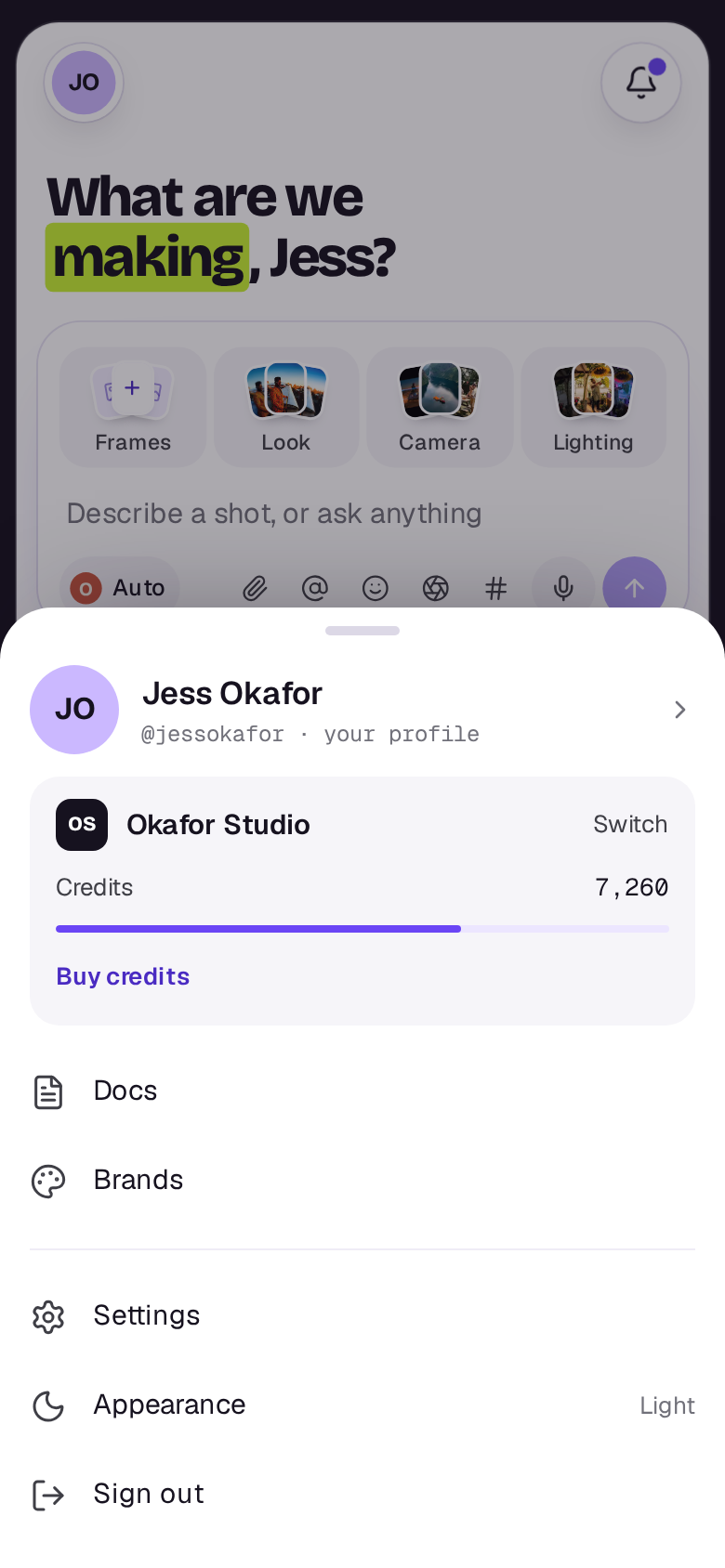
On a phone, tap your picture at the top left to open the You sheet: your credits are under the workspace’s name.
Seeing the price
The price shows on the card’s send button before you start, for the model, length, quality and number of takes you’ve set. The model list doesn’t show prices. With Auto picked, Shotz shows the model it chose and the price once it has read your prompt. If the pick costs more than it showed, it tells you instead of running. Up to 500 credits a shot starts after five seconds, with Stop beside it; over that, it waits for you to press Generate.
If a take fails, its credits come back. See What happens when a take fails.
Seeing where they went
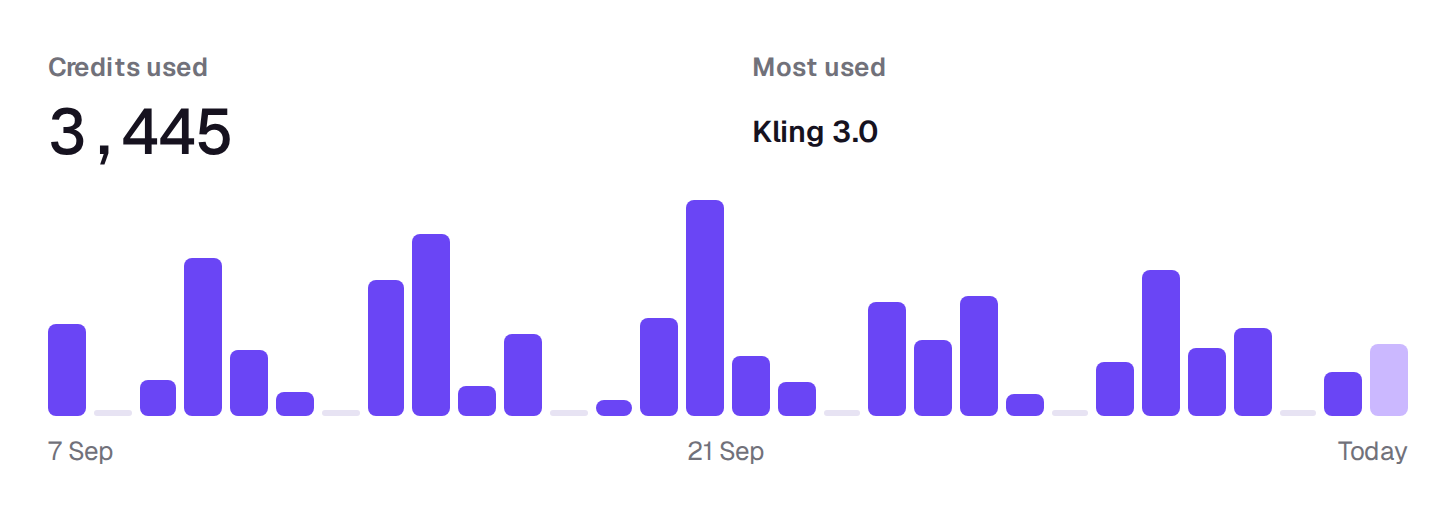
Settings → Usage shows the credits used each day for the last 30 days, by model and, for owners and editors, by person, and every credit in and out under Activity, where earned credits show as Earned. Everyone in the workspace can see it. Under Spending limits an owner can also cap what the workspace spends each month. See Set a spending limit for the workspace.
A real person in Melbourne will write back, usually within one business day.