Members and roles
What owners, editors and people who can comment can each do, and how to change a role.
Everyone in a workspace has one of three roles. You can see who has which in Settings → Members.
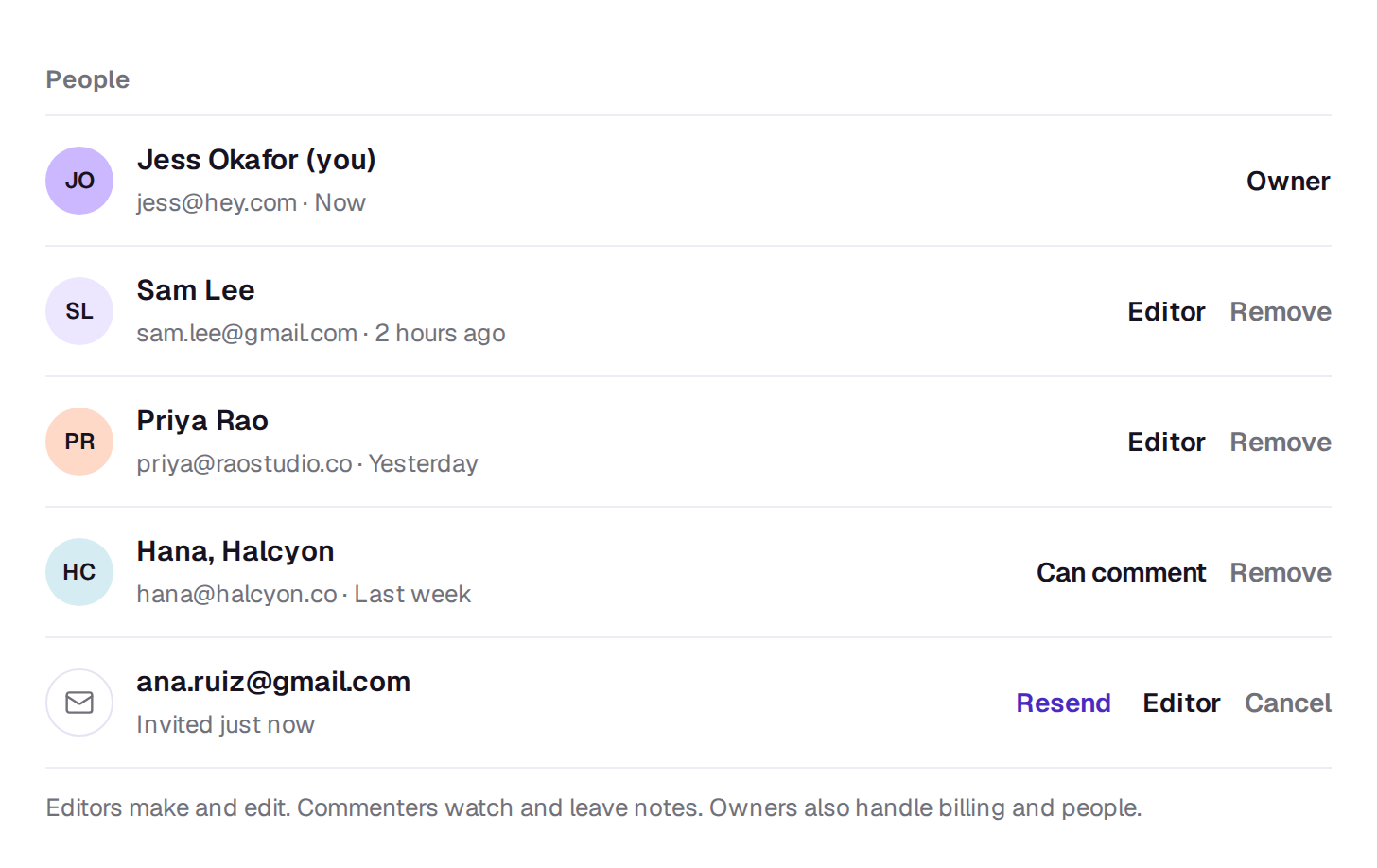
Owner
Billing, members and everything else. Only owners can:
- invite people, remove them and change their roles
- set a person’s monthly credit limit
- buy credits, change the plan and manage billing
- rename the workspace, change its defaults, turn community sharing on or off and choose which models the workspace can use
- make and revoke API keys
- delete the workspace
A workspace can have more than one owner, and always has at least one.
Editor
Makes and edits videos: generates, uploads, uses and makes elements, edits, exports, and deletes files. Editors can also bring someone into a single edit from its Share button. See Bring someone into one edit.
Can comment
Watches. People who can comment open the workspace’s edits and files but can’t change them, generate, upload or delete. They see the names and roles of the people in the workspace, not their email addresses.
Change someone’s role
Owners pick a new role from the menu beside the person’s name on Settings → Members. It applies at once, and they get an email saying what changed. To stop being an owner yourself, make someone else an owner first.
A real person in Melbourne will write back, usually within one business day.