Share a take to the community
Post a video or image you made, with or without its prompt.
The community is where people post shots they made on Shotz, so others can watch them and remix them. You can share any video or image you generated, once it’s ready. Uploads, 3D models and Worlds can’t be shared.
Where Share is
- On Home: open a take under Latest generations and choose the people icon (Share to the community). On a phone, open the take and choose Share to the community in its ⋯ menu, or press and hold it.
- In the Library: open a generated file, including a take you made in a conversation with the Agent, and choose the people icon. On a phone, choose Share to the community in the file’s ⋯ menu, or press and hold it.
- Before you generate: Share to the community is on to start with (unless an owner turned sharing off for the workspace), and the send button says so: it shows the people icon (and Share on a computer) instead of the arrow. Choose the arrow beside it and pick Workspace to keep the takes to your team, or Private to keep them to yourself; the card remembers your choice in this browser. When the Agent is about to make a shot that will be shared, its card says so, with Stop. Each take is posted with its prompt as soon as it’s ready, and goes through the same review as any post. Delete a post from its … menu if you change your mind.
What you choose
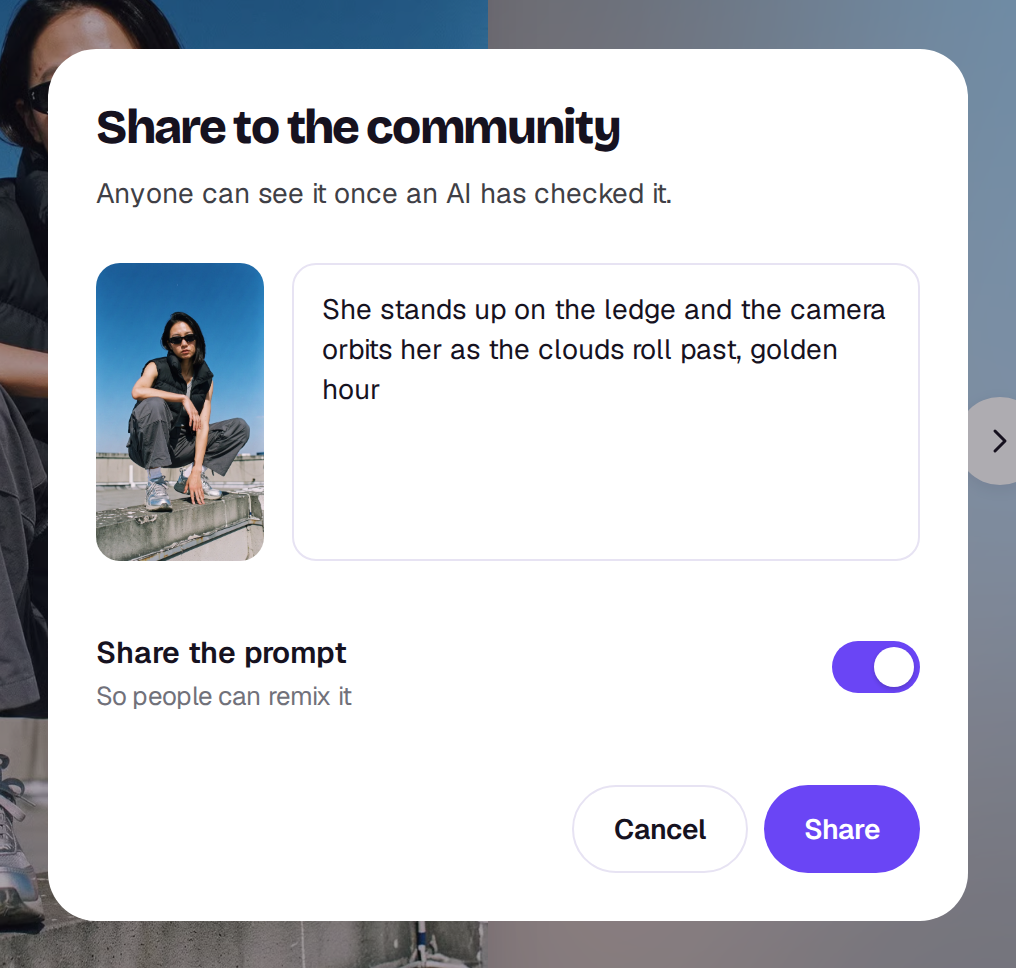
- Caption: starts as the prompt’s first sentence. Change it to anything up to 300 characters.
- Share the prompt: on by default, so people can remix it. Elements you tagged show as their names, and a reference you attached reads “a reference”, so no file is named, and an emotion chip reads as its name, such as “smug”. If you used a skill, its name is shared too, and a remix starts with it. Turn it off to keep the prompt and skill to yourself; the post then can’t be remixed.
Choose Share. An AI checks every post first, usually within a minute, and then it shows. Until then only you can see it. See How posts are checked.
What’s posted
A copy of the video or image goes up with the post, along with the model, shape and length. Deleting the file from your Library doesn’t take the post down, and deleting the post doesn’t touch your Library.
You can share up to 60 posts a day. Deleting a post doesn’t give one back, and past the limit Shotz says That’s a lot of posts for one day. Try again tomorrow.
Each take can be shared once. Once it’s shared, Share to the community in the Library becomes See the post, and the file’s Share tab shows Shared to the community with the same link. To take a post down, open it and choose Delete post from its ⋯ menu. A post the check took down can’t be deleted for 30 days.
You can only share takes you made yourself. If your workspace has sharing turned off, Share says so. See Turn off community sharing.
A real person in Melbourne will write back, usually within one business day.