Browse the community
Explore’s Community tab, the filters, and how the feed works on a phone.
Open Explore from the sidebar, or on a phone from the tab bar. Its first tab, Community, is the feed; Skills and Templates are beside it. Anyone can also browse the community at shotz.co/community without signing in.
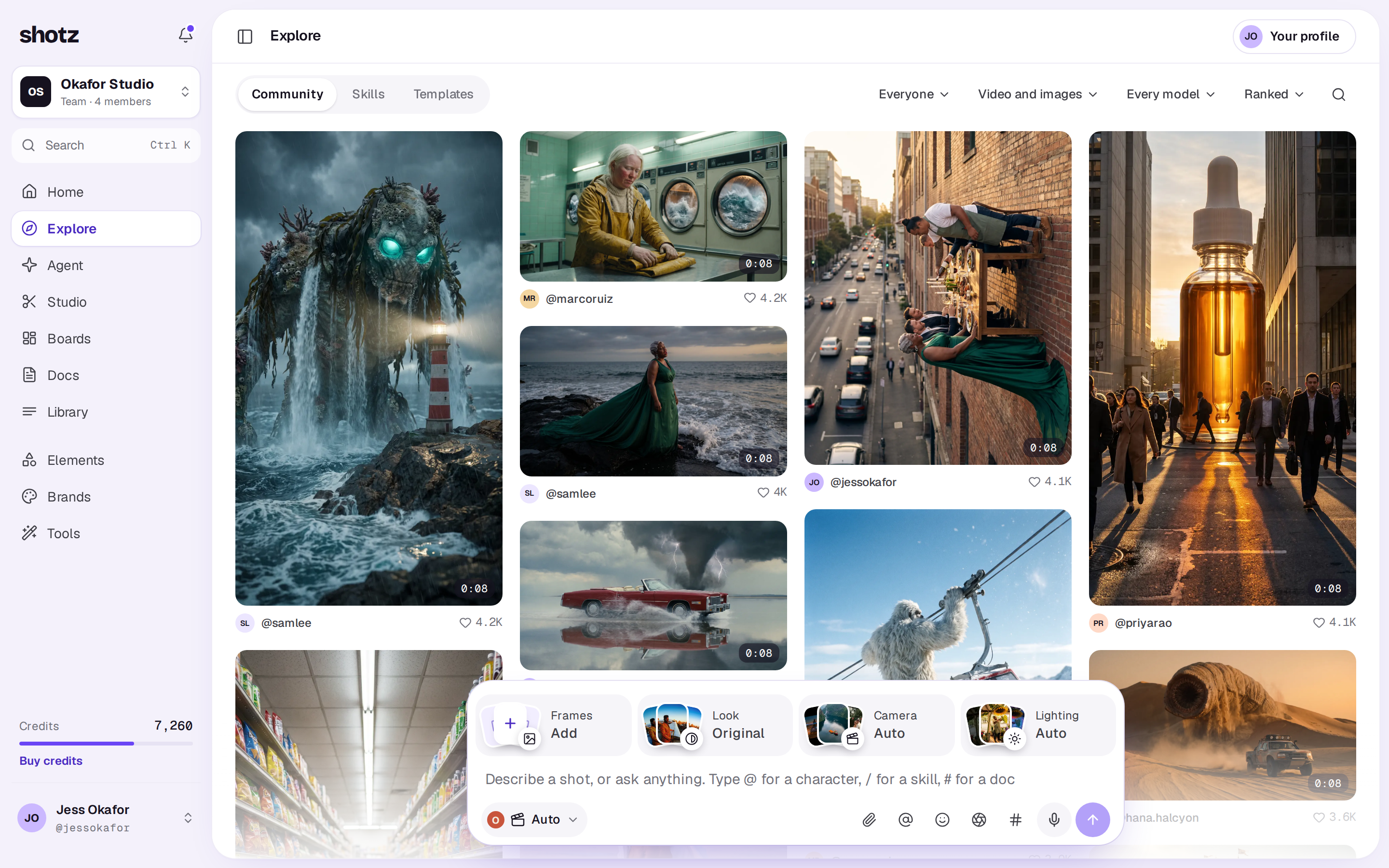
The feed
Community mixes what people are enjoying: posts that get liked, saved and remixed, newer posts, ones our team picked, and posts by people you follow, which come up more often. It’s shuffled afresh each time you open the page, and going back returns you to the same order. Signed in, posts you haven’t seen come first.
On a desktop, the menus beside the tabs change what it shows:
- Everyone or People you follow: only posts from people you follow. Follow someone from their post or their profile. Until you follow anyone, it suggests people to start with.
- Video and images, Video or Images, and Every model or one model.
- Ranked or Newest: the latest posts first.
On shotz.co/community the same choices are tabs: For you, Following and New.
Feeds only show posts that passed their check. See How posts are checked.
Find people to follow
On a desktop, the feed has a Creators to follow row after the first few posts, when no filter is on: each card shows three of their posts, what they do and a reason, such as Popular this week. Choose Follow on a card, or choose the card to open their page. People you already follow aren’t suggested.
Search
On a desktop, choose the search button at the right of the tabs (or press /). On shotz.co/community on a phone, use the search bar. Then type at least two letters. The app’s full-screen phone feed has no search. Under People you see anyone whose name, handle, what they do or bio matches, as long as they have a post in the feed; choose See all for more. Under Posts are posts whose caption matches. Clear the box to go back to the feed.
On a desktop
Choose a post to open it large, with its author, caption and counts beside it, and three tabs under them: Comments, Prompt (with the skill it used, if any) and Details. Under the post itself is a bar with Remix, then round buttons to like and save (on someone else’s post), Copy link, and ⋯ for the rest. Step through posts with the arrows, the arrow keys, or J and K. Escape closes it.
While a post is open, the address bar shows its own address, shotz.co/@ and the author’s handle, so you can copy it from there. Refresh and it comes back open, and Back closes it. When you’re signed in, a link to a post opens it here, in Community. On a phone, it starts the feed with that post, and so does a picture under From the community on Home.
On a phone
The feed fills the screen, one post at a time. Swipe up for the next; a video plays with sound and moves on when it ends.
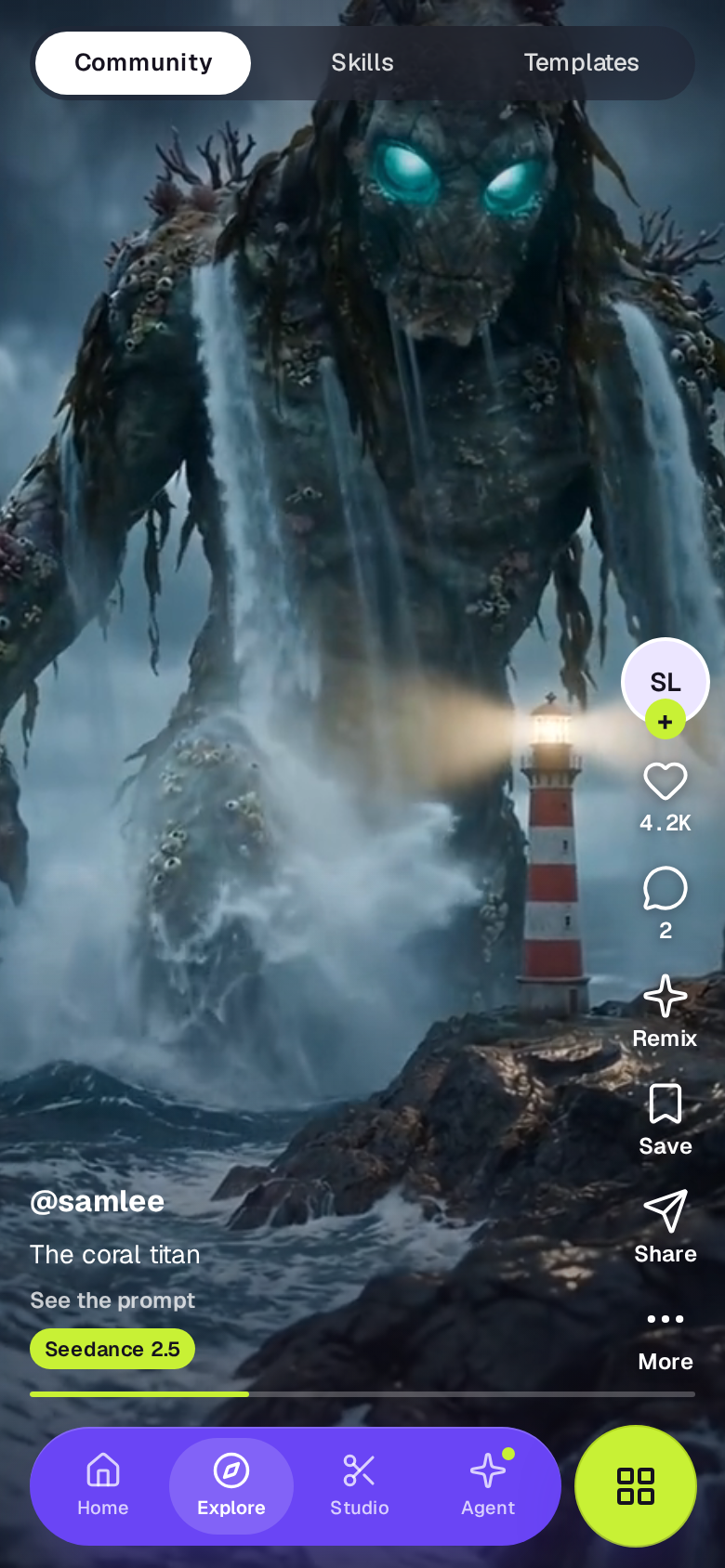
- Videos play with sound. Tap to mute or unmute. If the browser started one muted, the sound comes on with your first touch.
- Double-tap to like.
- Press and hold, or tap More under the right-hand buttons, for more: Copy link, Save, Not interested, Report and Block. Signed out, Not interested and Block aren’t offered and Report takes you to sign in first. See Block someone in the community.
- The buttons on the right like, comment, Remix, Save and Share.
Tap the caption to see the prompt. A post made with a skill shows its name by the model: tap it to open the skill in Skills, with what else people made with it. On a desktop, the skill is under the post’s Prompt tab.
A real person in Melbourne will write back, usually within one business day.