Automatic top-ups and low-credit reminders
Top up on your own when credits run low, or get a reminder to buy more.
When a workspace’s credits drop below a line, Shotz can either buy more on its own or remind the owners. Both are in Settings → Plan and billing → When credits run low, and only an owner can change them.
The line is shown in the setting: 500 credits on Pro and Team, and a fifth of the month’s credits on Starter (200 on 1,000 a month, 400 on 2,000).
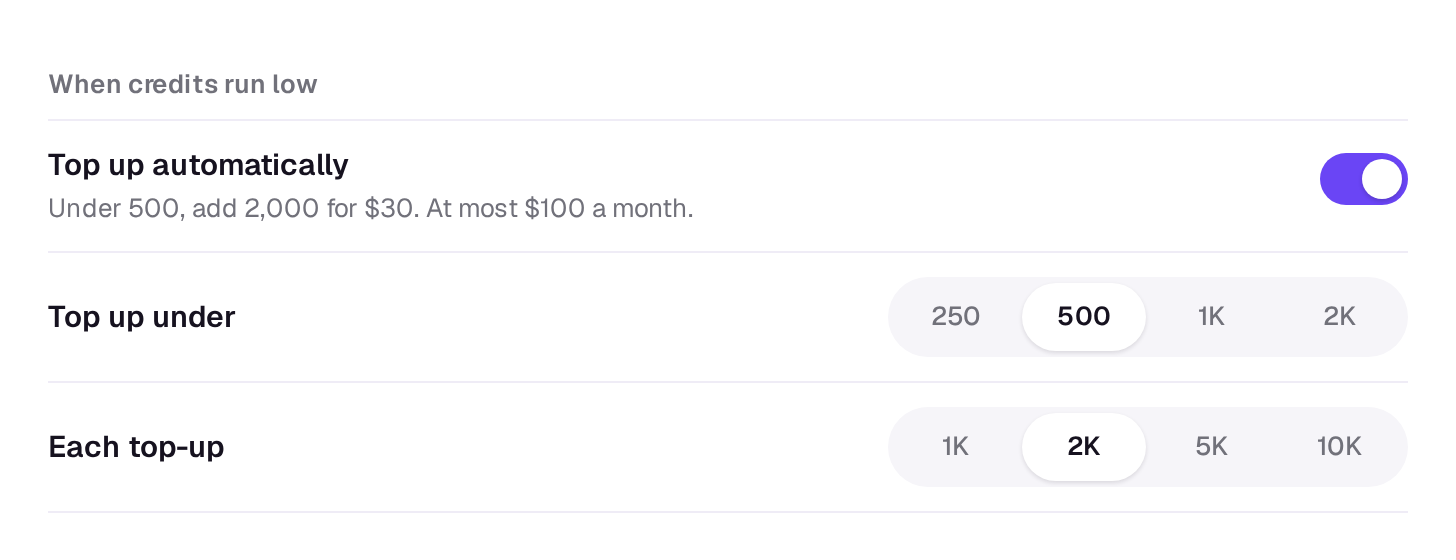
Top up automatically
Turn on Top up automatically and, whenever credits drop below the line, Shotz adds a top-up at 1.5 cents a credit plus tax. Choose how many under Each top-up: 1K, 2K, 5K or 10K credits. It starts at 2,000 credits for $30.
- The credits are added straight away. The charge goes on your plan’s subscription, and Stripe takes it within a day, with tax, to the card you pay for the plan with.
- It stops at $100 a month, before tax. If it reaches that, the owners hear that automatic top-ups are paused for the month; buy credits by hand to keep going.
- It needs a paid plan. On Free the switch isn’t shown.
- If the card is declined, automatic top-ups turn off and the owners are told. Update your card under Billing → Payment and invoices, then turn them back on. They also turn off if the plan ends. If Stripe voids a top-up’s bill or gives up collecting it, the credits it added are taken back as far as they’re still there, the owners are told, and automatic top-ups turn off.
Credits added this way last 90 days, like any other top-up.
Remind me when credits run low
With automatic top-ups off, Remind me when credits run low is on by default. Each time credits drop below the line, each owner gets a notification saying how many are left, with a link to buy more. Turn it off if you’d rather not hear.
To buy credits yourself, see Buy more credits.
A real person in Melbourne will write back, usually within one business day.