Choose which emails you get
Turn emails about notes, finished takes, invites, the weekly recap, earned credits, tips and Shotz news on or off.
Open Settings → Notifications: on a computer, click your name at the bottom of the sidebar and choose Settings; on a phone, tap your picture at the top left, then Settings. The switches are under Email me about. Each switch saves as soon as you flip it, and applies to every workspace you’re in.
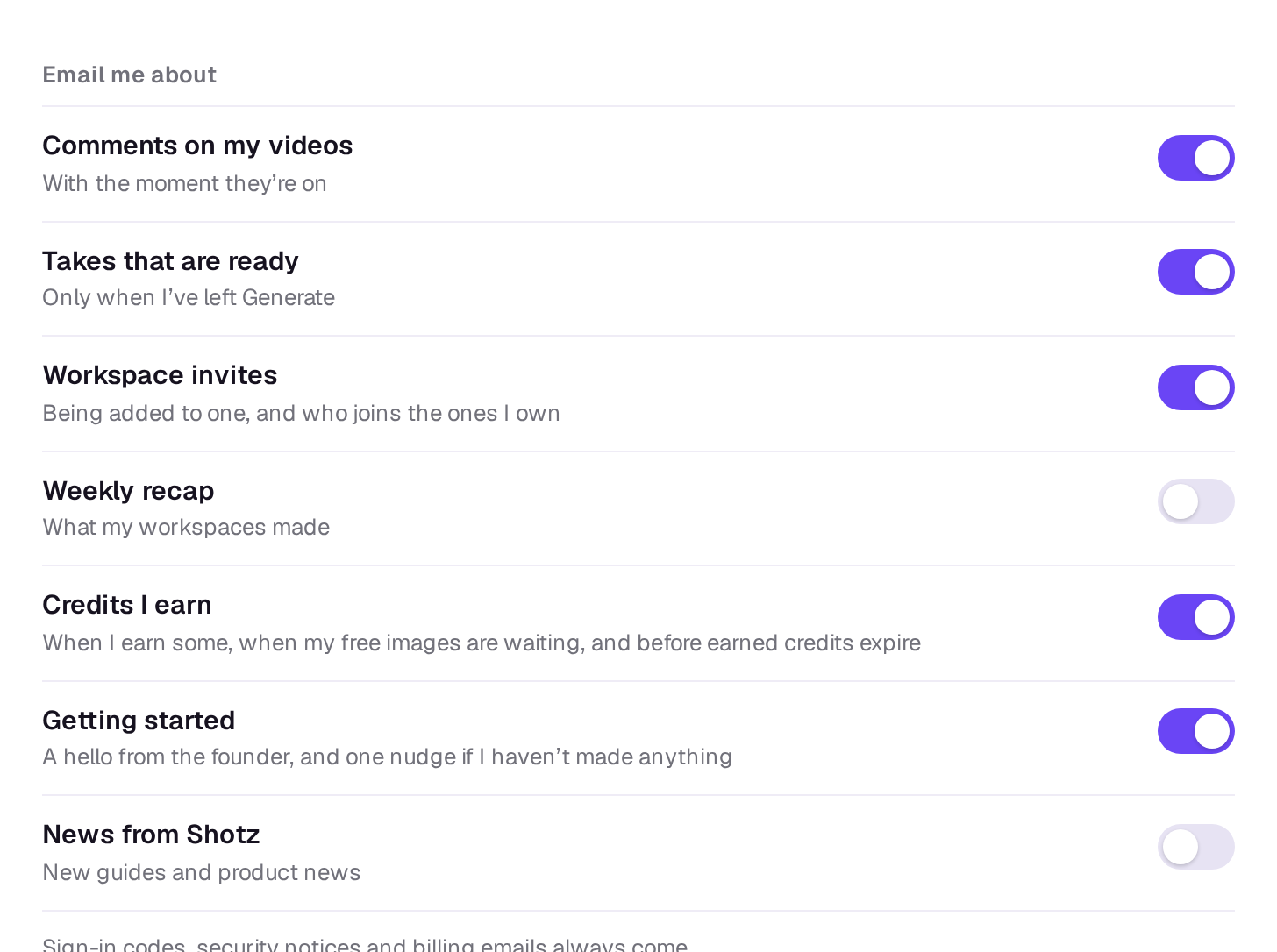
- Comments on my videos: notes on your edits and on files and elements you’re part of, and when someone approves a cut on its review link. Shotz waits until people have stopped writing for 10 minutes, then sends the notes together, so a burst of notes is one email. When someone mentions you with @ in a comment, you get an email about that comment two minutes later, if you haven’t already seen it in the app.
- Takes that are ready: when your takes are done, or didn’t work. It comes two minutes later, and only if you haven’t already seen the notification in the app. A ready one shows a picture of what it made, and a Download button when it made one file. The picture and the download keep working for 30 days after the last email that carried them, as long as the file is still in your Library.
- Workspace invites: when someone adds you to their workspace or an edit, when someone joins a workspace you own, and when someone accepts your invite to an edit. If an invite you sent is still waiting after three days, you get one reminder. Someone who doesn’t have an account yet always gets the invite itself.
- Weekly recap: every Monday, what your workspaces made that week. Off unless you turn it on, and skipped when there’s nothing to report.
- Credits I earn: when a post or a remix earns you credits, when your free images are waiting after a few days away, and before earned credits expire. See How credits work.
- Getting started: a hello from the founder shortly after you sign up, and a nudge on your second day if your workspace hasn’t generated anything yet. Only for people who signed up themselves, not those invited.
- News from Shotz: new guides and product news, sent now and then. It’s off unless you ticked Email me new guides and product news when you signed up or turned it on here, and every one of these emails has an unsubscribe link. It follows your email address rather than a workspace, and the switch only shows once Shotz can check whether you’re on the list.
Every one except Weekly recap and News from Shotz is on to start with.
Emails you always get
These come whatever the switches say:
- Signing in: sign-in codes and links, password resets, and the links to confirm a new email address.
- Security notices: when your password or email changes, when Google, Apple, Facebook, X, Discord or Twitch is connected or disconnected, and, to every owner, when someone makes an API key for a workspace.
- Billing, to owners: a plan that starts, changes, ends or is about to end, credits added or taken back, automatic top-ups, a declined card, credits about to expire, and a Library that’s nearly full. These aren’t receipts; Stripe sends those. Low-credit emails follow the workspace’s Remind me setting. See Automatic top-ups and low-credit reminders.
- Your workspaces: when you’re taken off a workspace, when one you’re in is deleted, and when your role or monthly credit limit changes.
- Community: when a post or element you shared is taken down or limited, the answer to an appeal, and if sharing is paused on your account. See How posts are checked.
- Your account: a last email when you delete it, and a thank-you when you write to support or ask about Enterprise.
Likes, follows, comments and other community activity only show in the app. See Notifications.
Still stuck?
Contact supportA real person in Melbourne will write back, usually within one business day.