Your name, photo and handle
Change your name, photo, handle and bio, and how often a handle can change.
Your profile follows you into every workspace you’re in. To change it, open Settings → Profile and sign-in: on a computer, click your name at the bottom of the sidebar and choose Settings; on a phone, tap your picture at the top left, then Settings and Profile and sign-in.
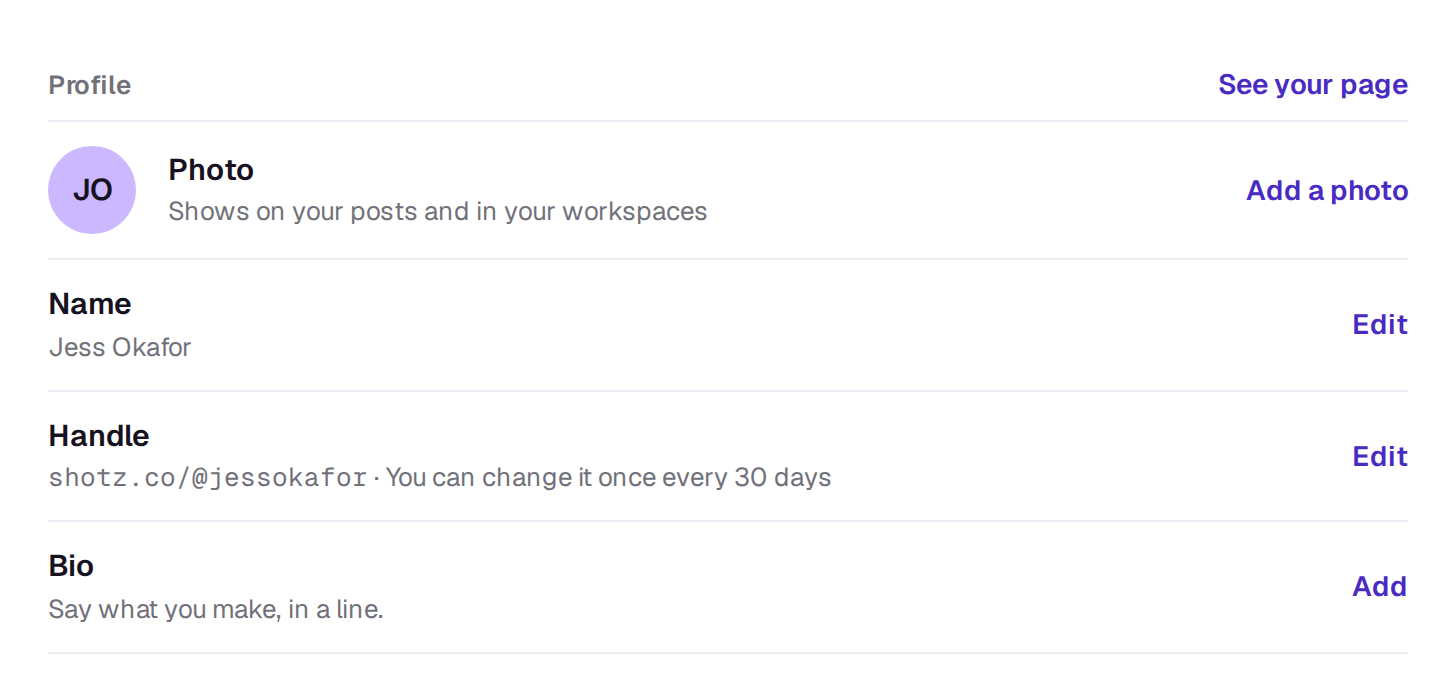
Name and photo
Use Edit next to Name, and Add a photo or Change next to Photo. Tapping your picture beside Photo picks a new photo too. Remove takes the photo away and puts your initials back.
A photo is cropped to a square from its middle, so put your face near the centre.
Handle
Your handle is the address of your page in the community, shotz.co/@yourhandle, and the name on anything you share there. It’s made from your name when you sign up, and you can pick your own on the first screen after you sign up or here with Edit next to Handle.
- Between 3 and 24 characters: letters, numbers, dots and underscores.
- It starts and ends with a letter or a number, with one dot at a time.
- Some handles are kept for Shotz, including any that start with “shotz”.
- You can change it once every 30 days, and a handle you pick on the first screen after signing up counts. Until then, Settings says when you can change it next.
- For 30 days after a change, your old handle still sends people to your page, and nobody else can take it.
If someone already has the handle you want, Shotz says so; try another.
Handles are only for addresses and bylines. Typing @ in a prompt tags an element, not a person. In a comment, @ mentions a teammate by their name, whatever their handle. “agent” is one of the kept handles.
Bio and your page
Bio is a short note about you on your page, up to 160 characters, with no links. Your address is under Handle; See your page, beside the Profile heading, shows it as others see it; on a phone, Open next to Your page. To add a cover, what you do, links, pinned posts and series, choose Edit your page there. See Your community profile.
A real person in Melbourne will write back, usually within one business day.