Keyboard shortcuts
The keys that work anywhere in the app, and how to see them.
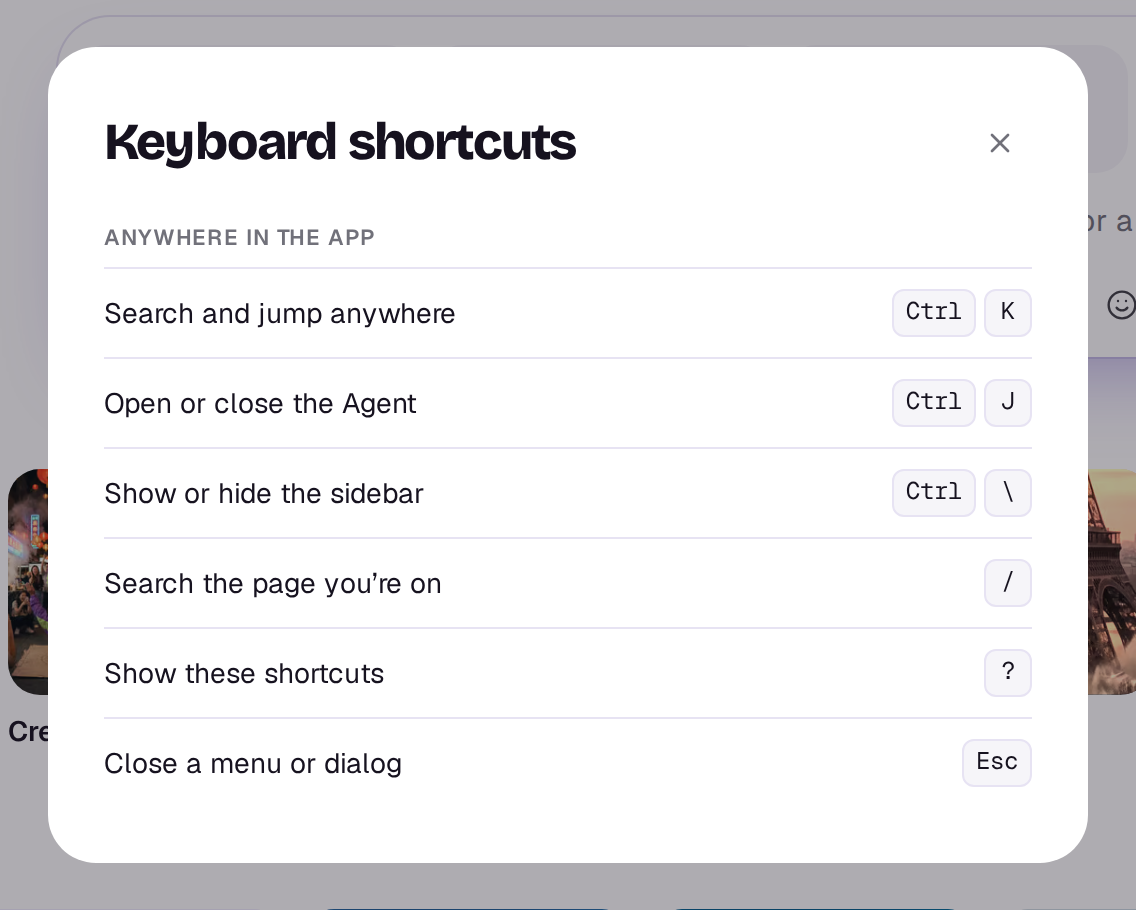
Press ? anywhere in the app on a computer to see the shortcuts for where you are. In the editor it lists the editor’s keys; everywhere else, the app’s. Press ? again or Esc to close it.
On Windows and Linux, use Ctrl wherever a Mac uses ⌘.
Anywhere in the app
- ⌘K: search and jump anywhere. See Find your way around.
- ⌘J: open or close the Agent. See The Agent.
- ⌘\\: show or hide the sidebar. See Find your way around.
- /: search the page you’re on, on pages with a search button such as Library, Studio, Elements and Community.
- ?: show the shortcuts.
- Esc: close a menu or dialog.
In the editor
The editor has its own keys for playing, splitting, deleting and undoing: Space plays or pauses, S splits at the playhead and ⌘Z undoes. See Keyboard shortcuts in the editor for the full list.
The shortcuts don’t fire while you’re typing in a box, so typing a question mark in a prompt won’t open them.
Still stuck?
Contact supportA real person in Melbourne will write back, usually within one business day.