A prompt says what happens. A start frame says exactly where it begins, and an end frame says where it lands. Between the two, the model only has to work out the move, and that’s the part it’s good at.
It’s the closest thing to blocking a scene: put everything in its place first, then call action.
Make the frames first
Frames are stills, so make them as stills, on an image model, where you can try ten before you spend anything on video. Any photo or generated still in your Library works. Make the start frame, then make the end frame from it, with the start as a reference, so the place, the light and the people carry over.
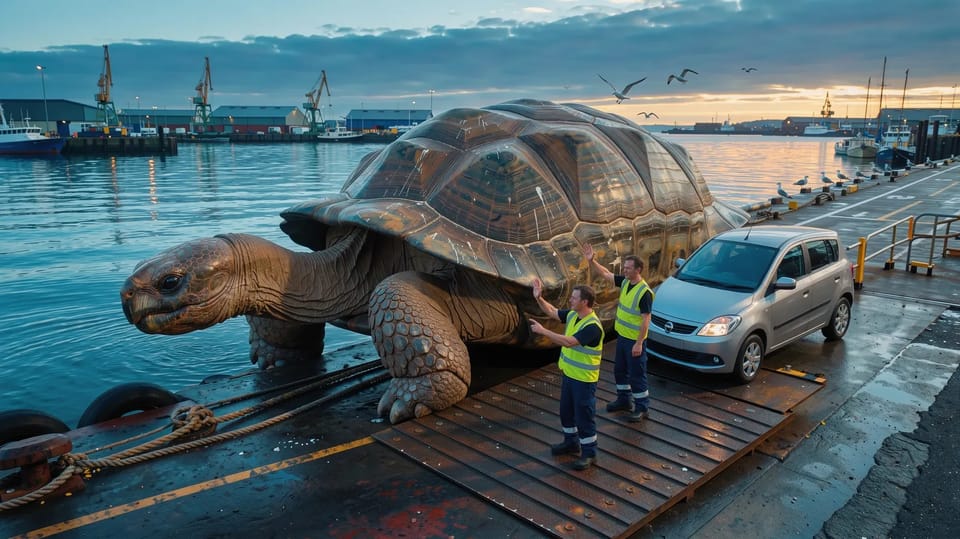
A giant tortoise the size of a car ferry resting on a quiet harbour slipway at dawn, its shell flat on top, a ferry worker in a hi-vis vest waving the first small car up a ramp onto its back, gulls on the harbour wall.
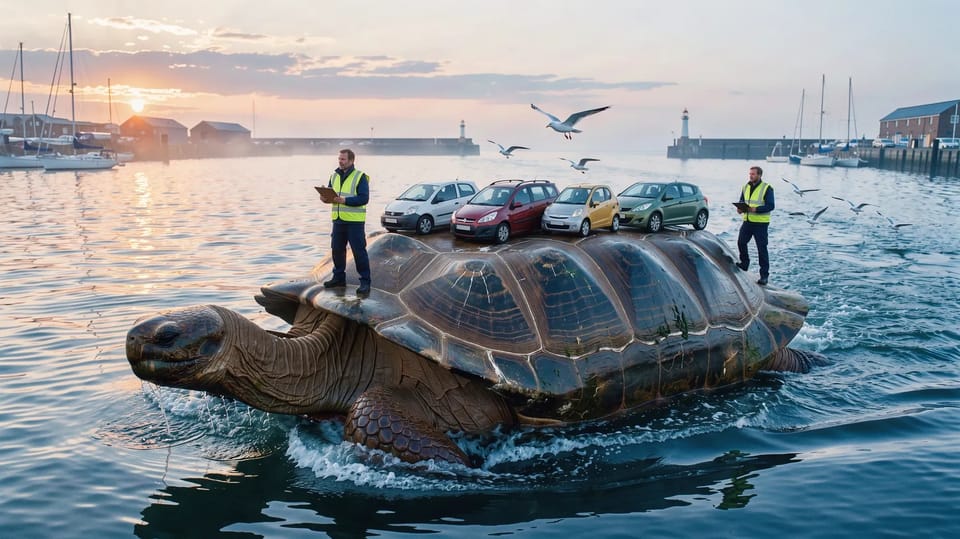
A giant tortoise the size of a car ferry swimming out of a quiet harbour at dawn with six small cars parked in a row on its flat shell, a ferry worker in a hi-vis vest standing on the shell at the front with a clipboard, gulls following.
Put them in Create
In Create, open the Frames tile over the prompt. It has two slots, Starts here and Ends here, then references, then your Library to fill whichever slot is picked, with Upload as its first tile. Frames are for video.
Pick a model that takes both
Not every model that starts from a frame can end on one. Seedance 2.5, Kling 3.0, Wan 3.0, Seedance 2.0, MiniMax H3 and Gemini Omni Flash 1.1 take both. Veo 3.1, HappyHorse 1.1, Grok Imagine 1.5 and FLUX 3 Video take a start frame only; pick one of those and the composer says it can’t use the end frame, and names a model that uses everything.
On Auto, Shotz keeps the models that use the most of what you gave it, so a start and an end frame narrows it to the ones that take both. An end frame needs a start frame: on its own, it isn’t sent.
Write the move, not the picture
The frames already say what everything looks like. Spend the prompt on what happens between them: one action and one camera move. The model fills the gap; your words tell it how to cross it.
Two more things. On most models a start frame wins over references, so tagged Elements aren’t sent with it; Kling 3.0 keeps them alongside. And make both frames in the shape you want the clip to be.
Make two stills of the same place, a before and an after, and give Seedance 2.5 or Kling 3.0 the gap between them.