“Dramatic camera movement” gets you a drift. Camera moves have names because each one is a specific thing: a crash zoom isn’t a push in, and a dolly zoom isn’t a zoom. Skills let you ask for one by its name.
Type / in the prompt box in Create and pick one, or press the Skills button on the card. It sits in your prompt as a chip, and when you make the shot Shotz adds the words for that move after yours. Those words stay on our side, so you never write them, and a skill can run with nothing else typed.
Crash zoom
A sudden, fast push into a face or an object, for a reaction, a reveal or landing on the beat. Give it one clear subject in a close or medium shot. Two to four seconds is plenty. It runs best on Kling 3.0, then Veo 3.1 and Seedance 2.5.
Dolly zoom
The subject stays the same size while the background stretches away behind them: the Jaws and Vertigo shot. It needs depth behind the subject, a corridor or a long street, or there’s nothing to stretch. Three to five seconds, best on Kling 3.0 or Veo 3.1.
360 orbit
The camera circles the subject once, all the way round. Stand a person or a product clear of the background so there’s room to go behind them. Four to six seconds, best on Kling 3.0 or HappyHorse 1.1.
Bullet time
Time almost stops while the camera keeps moving. It only works on something already in the air: a jump, a toss, hair or fabric mid-swing. Three to five seconds, best on Kling 3.0 or Veo 3.1.
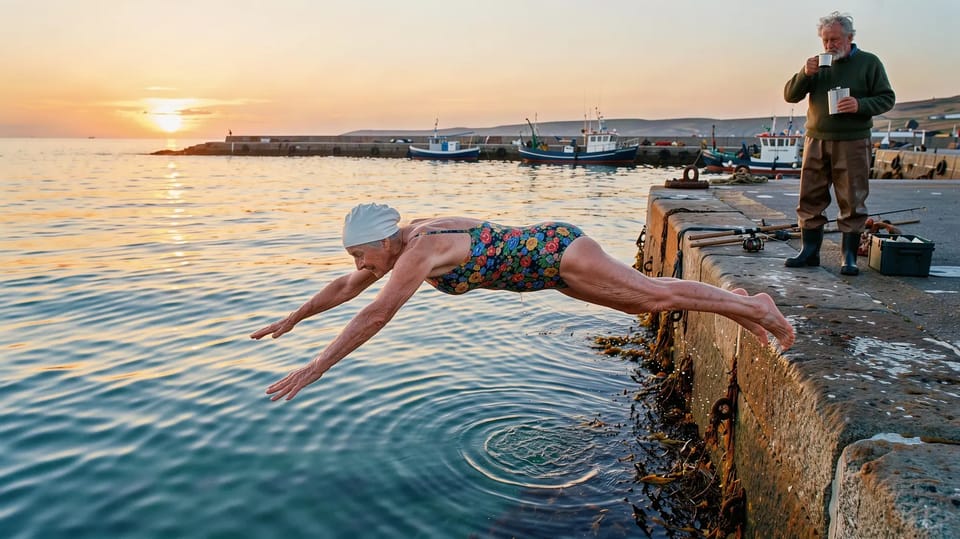
A 90-year-old wild swimmer with a white swimming cap and a floral costume diving off a stone harbour wall into a calm sea at sunrise, caught in mid-air with arms outstretched, a fisherman on the wall behind her sipping tea from a flask.
Write what happens, not how to film it
The skill brings the move, so spend your words on the shot: who, where, and the one thing that happens. Don’t describe the move again in your own words. Two descriptions of the camera pull against each other.
A chip can go anywhere in the prompt, and several can share one shot, in the order you type them: “open on a /crash-zoom, then a /whip-pan”. The model is still yours to pick; each skill’s page says which ones it runs best on, and Auto reads the move along with your words.
The Camera tile is a different thing: a style for the whole shot, such as Cinematic, Drone or Handheld. You can use both.
Pick one move, one subject and one action. Make it once with the skill and once describing the move yourself, and keep the better take.