You have a take that’s nearly right. The move is good, the timing works, the light is lovely, and the jacket is the wrong colour. Making it again from the prompt risks everything that worked for the one thing that didn’t.
Change a clip keeps the footage and changes what you ask for. Here’s how to ask.
What it does
Open Tools, pick Change a clip and choose a video from your Library. Say what should change, and a new copy lands in your Library next to the original, the same length. The original stays as it was. It works on any video there: a take you made, or footage you filmed yourself.
Name the change, not the shot
The video already knows who’s in it, where they are and how the camera moves. Your words only need to say what’s different. Describe the whole scene again and you’re inviting the model to make a different one.
Keep it to one or two changes, and say which thing you mean: “the man on the left”, “the mug on the table”, never just “him” or “it”. For two big changes, make them one after the other, so you can keep the first if the second goes wrong.
Good things to ask for: the weather or the time of day (“turn it to night, with the street lamps on”), a colour or a material (“the car is matte green”), something added or taken away (“take the sign off the wall”), or a different product in someone’s hand.
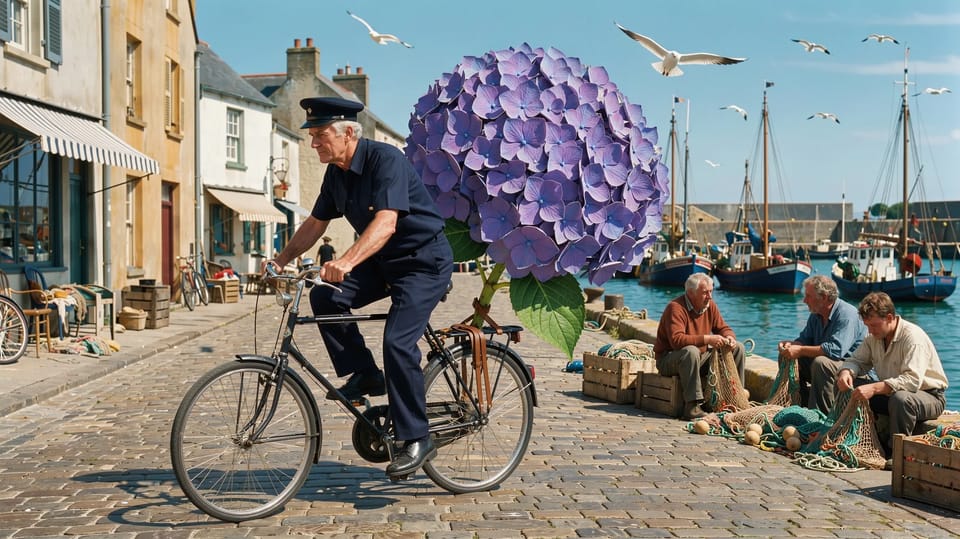
A grey-haired postman in a navy uniform cycling down a sunny cobbled harbour street at noon, a single enormous violet hydrangea bloom the size of a car strapped to his bicycle's rear rack, fishermen mending nets on the quay glancing up, gulls overhead.
Seedance 2.5 or Kling 3.0 Omni
Seedance 2.5 changes the picture and its sound together, for videos of 4 to 30 seconds. Pick it when the change should be heard as well as seen: rain you’ll hear on the roof, a street that gets busier.
Kling 3.0 Omni changes the picture and keeps the original sound, for videos of 3 to 15 seconds, and costs less a second. Pick it when the sound is already right: someone talking to camera, or a voiceover you’ve cut to.
Both are priced for every started second of the video, since the new one is just as long, and the price is on the button. If it doesn’t work, your credits come back. For a longer video, trim it in an edit and export the part you need first.
Keep the take. Change the thing.
Inside an edit
In the editor, pick a video clip and choose Change it with a prompt under Tools in the timeline’s toolbar. It changes the whole video the clip comes from, not only the part on the timeline, and the new one lands in Media for the edit, so you can play it against the old one and swap it in.
Or ask the Agent with the video open: “the same shot, but at night” runs as Change a clip on that footage, and waits for you to press Generate before it spends anything. Tell it which part of a longer video and it changes just that stretch.
To put one of your characters in place of the person on screen, use Recast instead: it sends their pictures with the video, so the face is theirs.
Find the take you nearly kept, open Change a clip, and write the one thing that’s wrong in under ten words.